
- Популярные видео
- Авто
- Видео-блоги
- ДТП, аварии
- Для маленьких
- Еда, напитки
- Животные
- Закон и право
- Знаменитости
- Игры
- Искусство
- Комедии
- Красота, мода
- Кулинария, рецепты
- Люди
- Мото
- Музыка
- Мультфильмы
- Наука, технологии
- Новости
- Образование
- Политика
- Праздники
- Приколы
- Природа
- Происшествия
- Путешествия
- Развлечения
- Ржач
- Семья
- Сериалы
- Спорт
- Стиль жизни
- ТВ передачи
- Танцы
- Технологии
- Товары
- Ужасы
- Фильмы
- Шоу-бизнес
- Юмор
Lecture 0 CCNA Lab Guide Overview | Your Complete Roadmap to 150+ Hands-On Labs
Welcome to the Dargslan CCNA Lab Guide — a complete hands-on learning journey built around 150+ structured labs that take you from absolute beginner to job-ready network engineer. In this overview lecture, we walk through the entire guide, the five-step lab methodology, and everything you can expect across the full series.
This is your roadmap. Bookmark this video — you'll come back to it as you progress through each lab section.
🎯 WHAT THIS GUIDE DELIVERS
150+ carefully structured labs organized into seven progressive sections, each designed to build your skills step by step. Every lab follows the same professional rhythm — the same one used by working network engineers in real enterprise environments.
📚 THE SEVEN LAB SECTIONS
1️⃣ Fundamentals Labs — Labs 1 through 20
Devices, media, models, and basic connectivity. The foundation everything else builds on.
2️⃣ Switching Labs (Layer 2) — Labs 21 through 50
VLANs, trunking, Spanning Tree Protocol, EtherChannel, and port security.
3️⃣ Routing Labs (Layer 3) — Labs 51 through 80
Static routing, dynamic routing with RIP and OSPF, route manipulation, and redundancy.
4️⃣ Services Labs — Labs 81 through 110
DHCP, DNS, NAT, NTP, SSH, and the infrastructure services that hold real networks together.
5️⃣ Security Labs — Labs 111 through 130
Access Control Lists, port security, SSH hardening, and defensive network design.
6️⃣ Troubleshooting Labs — Labs 131 through 150
Systematic fault-finding, methodology, and real-world diagnostic scenarios.
7️⃣ Appendices — Labs 151 and beyond
Reference materials, advanced topics, and supplementary exercises.
🔄 THE FIVE-STEP LAB METHODOLOGY
Every single lab in this guide follows the same five-step flow. This is the professional workflow used by network engineers in real production environments — not a school exercise.
1. PLAN
Understand the objectives and topology before you touch a single device.
2. CONFIGURE
Build the network and apply configurations with purpose.
3. VERIFY
Check your work and validate operation at every step.
4. TROUBLESHOOT
Identify and fix issues like a professional — not by random guessing.
5. DOCUMENT
Record your steps, results, and key findings for future reference.
Master this loop and you master networking. It's that simple.
🎯 WHAT YOU WILL LEARN
Across the full series, you will gain fluency in:
- Network fundamentals — devices, media, OSI and TCP/IP models, basic connectivity
- IP addressing — IPv4, IPv6, subnetting, and complete addressing plans
- Layer 2 switching — VLANs, STP, EtherChannel, and port security
- Layer 3 routing — static routing, dynamic routing with RIP and OSPF
- Core network services — DHCP, DNS, NAT, NTP, SSH, and more
- Security fundamentals — ACLs, port security, SSH hardening, and best practices
- Verification methodology — using show commands, tests, and diagnostic tools
- Troubleshooting — systematic approaches to identifying and resolving issues
- Documentation — building records that lead to repeatable, reliable success
💻 LAB ENVIRONMENT RECOMMENDATIONS
To get the most out of this guide:
- Use a stable topology platform (Packet Tracer or GNS3 recommended)
- Save your work frequently and use version control where possible
- Take notes and capture key screenshots as you go
- Test incrementally — verify after every change, not at the end
- Ask questions and learn from mistakes — both your own and others
⭐ KEY TAKEAWAYS FROM THIS GUIDE
By the time you reach the final lab, you will have internalized these truths:
- Hands-on practice is the key to mastering networking
- Labs bridge the gap between theory and real-world application
- Consistency, verification, and documentation lead to success
- Keep learning, keep building, keep improving — networking never stands still
🏢 ABOUT DARGSLAN NETWORKING
Dargslan publishes practical, lab-driven technical books and video courses. The Dargslan CCNA Lab Guide is built on a simple philosophy summarized across every page of our materials:
Plan. Build. Verify. Troubleshoot. Document. Learn. Succeed.
Every lab you complete moves you closer to becoming the engineer you want to be.
📖 THE COMPANION BOOK
This video series pairs with the written Dargslan CCNA Lab Guide — the same 150+ labs documented step by step in book form. Use the videos for demonstration and motivation, the book for reference and reinforcement. Learn the way that works best for you.
Explore the full Dargslan catalog at dargslan.com.
▶️ NEXT UP
Lecture 1.1 — Welcome. We begin the journey properly, with a deeper look at what this course covers, who it's for, and how to get the most out of the labs ahead.
🔔 Subscribe and hit the bell so you don't miss a single lab. This is a long journey — we're glad you're here for it. Questions about the guide structure or what's coming? Drop them in the comments.
#CCNA #CiscoCCNA #CCNA200301 #Networking #CCNALabGuide #NetworkEngineer #LearnNetworking #PacketTracer #GNS3 #CiscoLabs #DargslanNetworking
Видео Lecture 0 CCNA Lab Guide Overview | Your Complete Roadmap to 150+ Hands-On Labs канала Dargslan
This is your roadmap. Bookmark this video — you'll come back to it as you progress through each lab section.
🎯 WHAT THIS GUIDE DELIVERS
150+ carefully structured labs organized into seven progressive sections, each designed to build your skills step by step. Every lab follows the same professional rhythm — the same one used by working network engineers in real enterprise environments.
📚 THE SEVEN LAB SECTIONS
1️⃣ Fundamentals Labs — Labs 1 through 20
Devices, media, models, and basic connectivity. The foundation everything else builds on.
2️⃣ Switching Labs (Layer 2) — Labs 21 through 50
VLANs, trunking, Spanning Tree Protocol, EtherChannel, and port security.
3️⃣ Routing Labs (Layer 3) — Labs 51 through 80
Static routing, dynamic routing with RIP and OSPF, route manipulation, and redundancy.
4️⃣ Services Labs — Labs 81 through 110
DHCP, DNS, NAT, NTP, SSH, and the infrastructure services that hold real networks together.
5️⃣ Security Labs — Labs 111 through 130
Access Control Lists, port security, SSH hardening, and defensive network design.
6️⃣ Troubleshooting Labs — Labs 131 through 150
Systematic fault-finding, methodology, and real-world diagnostic scenarios.
7️⃣ Appendices — Labs 151 and beyond
Reference materials, advanced topics, and supplementary exercises.
🔄 THE FIVE-STEP LAB METHODOLOGY
Every single lab in this guide follows the same five-step flow. This is the professional workflow used by network engineers in real production environments — not a school exercise.
1. PLAN
Understand the objectives and topology before you touch a single device.
2. CONFIGURE
Build the network and apply configurations with purpose.
3. VERIFY
Check your work and validate operation at every step.
4. TROUBLESHOOT
Identify and fix issues like a professional — not by random guessing.
5. DOCUMENT
Record your steps, results, and key findings for future reference.
Master this loop and you master networking. It's that simple.
🎯 WHAT YOU WILL LEARN
Across the full series, you will gain fluency in:
- Network fundamentals — devices, media, OSI and TCP/IP models, basic connectivity
- IP addressing — IPv4, IPv6, subnetting, and complete addressing plans
- Layer 2 switching — VLANs, STP, EtherChannel, and port security
- Layer 3 routing — static routing, dynamic routing with RIP and OSPF
- Core network services — DHCP, DNS, NAT, NTP, SSH, and more
- Security fundamentals — ACLs, port security, SSH hardening, and best practices
- Verification methodology — using show commands, tests, and diagnostic tools
- Troubleshooting — systematic approaches to identifying and resolving issues
- Documentation — building records that lead to repeatable, reliable success
💻 LAB ENVIRONMENT RECOMMENDATIONS
To get the most out of this guide:
- Use a stable topology platform (Packet Tracer or GNS3 recommended)
- Save your work frequently and use version control where possible
- Take notes and capture key screenshots as you go
- Test incrementally — verify after every change, not at the end
- Ask questions and learn from mistakes — both your own and others
⭐ KEY TAKEAWAYS FROM THIS GUIDE
By the time you reach the final lab, you will have internalized these truths:
- Hands-on practice is the key to mastering networking
- Labs bridge the gap between theory and real-world application
- Consistency, verification, and documentation lead to success
- Keep learning, keep building, keep improving — networking never stands still
🏢 ABOUT DARGSLAN NETWORKING
Dargslan publishes practical, lab-driven technical books and video courses. The Dargslan CCNA Lab Guide is built on a simple philosophy summarized across every page of our materials:
Plan. Build. Verify. Troubleshoot. Document. Learn. Succeed.
Every lab you complete moves you closer to becoming the engineer you want to be.
📖 THE COMPANION BOOK
This video series pairs with the written Dargslan CCNA Lab Guide — the same 150+ labs documented step by step in book form. Use the videos for demonstration and motivation, the book for reference and reinforcement. Learn the way that works best for you.
Explore the full Dargslan catalog at dargslan.com.
▶️ NEXT UP
Lecture 1.1 — Welcome. We begin the journey properly, with a deeper look at what this course covers, who it's for, and how to get the most out of the labs ahead.
🔔 Subscribe and hit the bell so you don't miss a single lab. This is a long journey — we're glad you're here for it. Questions about the guide structure or what's coming? Drop them in the comments.
#CCNA #CiscoCCNA #CCNA200301 #Networking #CCNALabGuide #NetworkEngineer #LearnNetworking #PacketTracer #GNS3 #CiscoLabs #DargslanNetworking
Видео Lecture 0 CCNA Lab Guide Overview | Your Complete Roadmap to 150+ Hands-On Labs канала Dargslan
ccna lab guide ccna 200-301 ccna overview ccna course roadmap ccna hands on labs cisco ccna 150 ccna labs ccna learning path ccna curriculum ccna study plan network engineer training packet tracer labs gns3 labs plan configure verify ccna methodology ccna for beginners cisco networking course dargslan networking complete ccna course
Комментарии отсутствуют
Информация о видео
23 апреля 2026 г. 22:10:12
00:01:49
Другие видео канала
 Lesson 23 — 🎉 Grand Finale: 30-Point Capstone - Course-complete capstone · 30-point production audit
 Linux for Beginners #23 — Where to Go Next | Career paths, certs, deeper topics
 Layer 2 Deep Dive — explained simply | Networking #08
 Lecture 2.8 Installing EVE-NG | Browser-Based Network Lab Setup 2026
 IT Basics Lesson 02: CPU, RAM, storage explained | Dargslan IT Basics Series
 Lesson 22 — Upgrade Strategy (dist-upgrade) - bullseye → bookworm → trixie · pre-flight · rollback
 Apache VirtualHost: 1 IP, ∞ Sites (How the Host Header Magic Works)
 Linux for Beginners #19 — Containers | Docker basics: image, container, volume, network
 Local AI on Linux #12 — Vector Databases | Chroma vs Qdrant in Docker
 Lesson 20 — Ansible Configuration Management · agentless · roles · Vault · fleet deploy waves
 #dargslan #linux #devops #shorts
 CrowdSec Tutorial Lesson 02 - Install + First Ban
 Local AI on Linux #18 — Whisper Voice | Hands-Free, All Local
 Linux for Beginners — WELCOME | Start Here · The Full Series Intro (24 Parts)
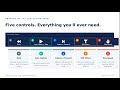 Lecture 2.6 Packet Tracer Simulation Mode | See Packets Travel in Real Time
 Apache MPM: prefork vs worker vs event (Pick the Right One)
 100 Videos. No Filler. — Thank You for Being Here.
 IT Basics Lesson 43: MFA — multi-factor authentication | Dargslan IT Basics Series
 Lesson 05 — Bash + Shell Productivity - The shell that pays back the time you invest.
 Lesson 21 — Container Runtime (Docker + Podman) - OCI · Docker · Podman · rootless · compose
 CrowdSec Tutorial Lesson 01 - What is CrowdSec
