
- Популярные видео
- Авто
- Видео-блоги
- ДТП, аварии
- Для маленьких
- Еда, напитки
- Животные
- Закон и право
- Знаменитости
- Игры
- Искусство
- Комедии
- Красота, мода
- Кулинария, рецепты
- Люди
- Мото
- Музыка
- Мультфильмы
- Наука, технологии
- Новости
- Образование
- Политика
- Праздники
- Приколы
- Природа
- Происшествия
- Путешествия
- Развлечения
- Ржач
- Семья
- Сериалы
- Спорт
- Стиль жизни
- ТВ передачи
- Танцы
- Технологии
- Товары
- Ужасы
- Фильмы
- Шоу-бизнес
- Юмор
How to Move a Partition with Free Tool Partition Resizer
Free tool Partition Resizer can move any partition when there is unallocated space.
In this video, I show you how to move a partition easily using IM-Magic Partition Resizer. This tool helps you manage disk space safely without data loss. Even beginners can follow along and move a partition to unallocated space in just a few steps.
IM-Magic Partition Resizer is a reliable Windows partition manager that lets you move, resize, extend, and shrink partitions quickly. If your disk layout needs to be adjusted or you want to extend a drive, this video will guide you step by step.
Time Codes:
00:00 Introduction
00:14 Move Partition with IM-Magic Partition Resizer when the partition map is (C | Recovery| E | F | Unallocated)
01:15 New partition map after moving the partitions (C | Unallocated | Recovery| E | F)
01:23 Extend the C drive after moving the partitions
02:12 Introducing other cases for moving a partition like moving a partition to end of disk (C | Recovery| E | F | Unallocated) to move the E to end of disk using Copy Partition feature in Partition Resizer
03:53 No way to move a partition when partitions stuffed the disk with no unallocated space
This tutorial works for Windows 10, Windows 11, and Windows Server. If you’re looking for an easy way to move a partition without data loss, IM-Magic Partition Resizer is a great choice.
IM-Magic Partition Resizer can resize, move, delete, convert, format, clone, backup, migrate os and more.
Free tool download: https://www.resize-c.com (100% free on Windows 11-XP)
Server demo download: https://www.resize-c.com/server/ (Trial on Windows Server)
Видео How to Move a Partition with Free Tool Partition Resizer канала IM-Magic
In this video, I show you how to move a partition easily using IM-Magic Partition Resizer. This tool helps you manage disk space safely without data loss. Even beginners can follow along and move a partition to unallocated space in just a few steps.
IM-Magic Partition Resizer is a reliable Windows partition manager that lets you move, resize, extend, and shrink partitions quickly. If your disk layout needs to be adjusted or you want to extend a drive, this video will guide you step by step.
Time Codes:
00:00 Introduction
00:14 Move Partition with IM-Magic Partition Resizer when the partition map is (C | Recovery| E | F | Unallocated)
01:15 New partition map after moving the partitions (C | Unallocated | Recovery| E | F)
01:23 Extend the C drive after moving the partitions
02:12 Introducing other cases for moving a partition like moving a partition to end of disk (C | Recovery| E | F | Unallocated) to move the E to end of disk using Copy Partition feature in Partition Resizer
03:53 No way to move a partition when partitions stuffed the disk with no unallocated space
This tutorial works for Windows 10, Windows 11, and Windows Server. If you’re looking for an easy way to move a partition without data loss, IM-Magic Partition Resizer is a great choice.
IM-Magic Partition Resizer can resize, move, delete, convert, format, clone, backup, migrate os and more.
Free tool download: https://www.resize-c.com (100% free on Windows 11-XP)
Server demo download: https://www.resize-c.com/server/ (Trial on Windows Server)
Видео How to Move a Partition with Free Tool Partition Resizer канала IM-Magic
Комментарии отсутствуют
Информация о видео
22 декабря 2025 г. 9:54:44
00:04:34
Другие видео канала
 Add or Merge Non Contiguous Unallocated Space to C Drive
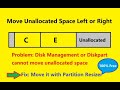 Move Unallocated Space Left or Right to Extend C or Any
 Convert USB/Disk NTFS to FAT32 without Formatting/Losing Data
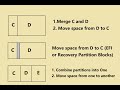 Merge C and D or E Partitions without Deleting with Free Tool
 Cannot Create D Drive Fix by Disk Management Windows 11 10
 Free Shrink D/E/F to Extend C Drive without Formatting/Losing Data
![[2 Ways] Shrink C Drive Add Space to Another Partition](https://i.ytimg.com/vi/PdFEp7uEoU4/default.jpg) [2 Ways] Shrink C Drive Add Space to Another Partition
[2 Ways] Shrink C Drive Add Space to Another Partition
 Resize Shrink Move Extend Server Partition Win Server 2025 2022 2019 to 2003
 Disk Management Cannot Delete Recovery Partition Fixed
 Partition Magic Server 2008 2012 2016 2019 2022 Download
 Konvertieren Sie USB-/Festplattenlaufwerke von NTFS in FAT32 ohne Datenverlust oder Formatierung.
 Add Space to C from E Drive without Losing Data Windows 11 10
 Shrink D or E to Extend C Drive Server 2016 2019 2022 2025
 Free Convert MBR to GPT Disk without Losing Data on Windows
 Increase c drive space windows 10 8 7 free
 2 Ways to Partition a Hard Drive in VMware Win 11 10 7 Server
 Free Resize Move Partition without Losing Data, Formatting nor Reinstalling Windows
 Shrink C Extend E or F on Windows Server 2025 2022 2019 2016 etc.
![Shrink C Create D Drive Windows 11 10 8 7 [No Data Loss]](https://i.ytimg.com/vi/BKe87kPZwh8/default.jpg) Shrink C Create D Drive Windows 11 10 8 7 [No Data Loss]
Shrink C Create D Drive Windows 11 10 8 7 [No Data Loss]
 Gptgen Error Fixes: System Cannot Find Path, Not Recognized as Internal or External Command
![Free Shrink G Drive, Move E F Recovery, and Extend C [No Data Loss]](https://i.ytimg.com/vi/nx8jvKgB-2I/default.jpg) Free Shrink G Drive, Move E F Recovery, and Extend C [No Data Loss]
Free Shrink G Drive, Move E F Recovery, and Extend C [No Data Loss]
 Move Partition or Volume to Another Disk HDD/SSD with Free Tool
 Freeware to Copy partition Clone Volume | IM-Magic Resizer Guide
 Shrink Move Partition D/E/F and Extend C without Losing Data Windows 11 10 8 7 Server
