
- Популярные видео
- Авто
- Видео-блоги
- ДТП, аварии
- Для маленьких
- Еда, напитки
- Животные
- Закон и право
- Знаменитости
- Игры
- Искусство
- Комедии
- Красота, мода
- Кулинария, рецепты
- Люди
- Мото
- Музыка
- Мультфильмы
- Наука, технологии
- Новости
- Образование
- Политика
- Праздники
- Приколы
- Природа
- Происшествия
- Путешествия
- Развлечения
- Ржач
- Семья
- Сериалы
- Спорт
- Стиль жизни
- ТВ передачи
- Танцы
- Технологии
- Товары
- Ужасы
- Фильмы
- Шоу-бизнес
- Юмор
How to Upload ACEcode & Arduino Code to Smart Robot Car Kit? | ACEBOTT
This video is about how to upload code to QD001 ACEBOTT Smart Robot Car Kit through both ACECode (Blockly Programing) and Arduino IDE. 🚗💻
We'll walk you through the full process step by step - from opening the tutorial files to connecting your ESP32 controller board and powering up your Smart Robot Car. This method applies to all ACEBOTT products, but we're using the Smart Car as an example in this video.
==========================================
✨ Highlights:
✅ Upload a program through ACECode
✅ Upload a program through Arduino IDE
✅ Connect the ESP32 controller board to computer via USB cable
✅ Select the correct port and board settings
✅ Power the STEM Robot Car kit by dual 18650 batteries
==========================================
✨ Product Information
📧 Inquiry: info@acebott.com
☎️ WhatsApp: +86 13378429333
🌍 Official Website: https://acebott.com/
👉 Learn more about the kit: https://acebott.com/stem-kits/explorer-series/acebott-omni-wheel-car-robot-starter-kit-collection/
👉 Tutorial Download: https://acebott.com/tutorial/
👉 ACECODE Download: https://acebott.com/software/
👉 Buy on Amazon: https://www.amazon.com/dp/B0D8PV9TY9
==========================================
📌 Subscribe for more videos: @acebott
📌 More hot products click: https://linktr.ee/acebott
#acebott #esp32 #arduino #codingforkids #codingforbeginners #codingtutorial #stemtoys #stemeducation #arduinoproject #robotics #educationaltoys #stepbystep #stepbysteptutorial
Видео How to Upload ACEcode & Arduino Code to Smart Robot Car Kit? | ACEBOTT канала ACEBOTT
We'll walk you through the full process step by step - from opening the tutorial files to connecting your ESP32 controller board and powering up your Smart Robot Car. This method applies to all ACEBOTT products, but we're using the Smart Car as an example in this video.
==========================================
✨ Highlights:
✅ Upload a program through ACECode
✅ Upload a program through Arduino IDE
✅ Connect the ESP32 controller board to computer via USB cable
✅ Select the correct port and board settings
✅ Power the STEM Robot Car kit by dual 18650 batteries
==========================================
✨ Product Information
📧 Inquiry: info@acebott.com
☎️ WhatsApp: +86 13378429333
🌍 Official Website: https://acebott.com/
👉 Learn more about the kit: https://acebott.com/stem-kits/explorer-series/acebott-omni-wheel-car-robot-starter-kit-collection/
👉 Tutorial Download: https://acebott.com/tutorial/
👉 ACECODE Download: https://acebott.com/software/
👉 Buy on Amazon: https://www.amazon.com/dp/B0D8PV9TY9
==========================================
📌 Subscribe for more videos: @acebott
📌 More hot products click: https://linktr.ee/acebott
#acebott #esp32 #arduino #codingforkids #codingforbeginners #codingtutorial #stemtoys #stemeducation #arduinoproject #robotics #educationaltoys #stepbystep #stepbysteptutorial
Видео How to Upload ACEcode & Arduino Code to Smart Robot Car Kit? | ACEBOTT канала ACEBOTT
Комментарии отсутствуют
Информация о видео
11 апреля 2025 г. 15:03:19
00:01:10
Другие видео канала
 How to Build QD003 AI Vision Smart Car for Beginners & Makers? | ACEBOTT
 QE203 Telegraph Transmitter Build Guide: From Wood Pieces to ESP32 Device | ACEBOTT | Assembly
 How to Program with ACEBOTT APP? | Mobile Coding Tutorial for Beginners
 When Arduino Robot Plays Football...
 ACEBOTT QE004 Smart Home Starter Kit: Build, Code & Control Your Smart Home!
 🔥Full Simulation of a Fire Alarm System! Watch the Smart Sensors in Action 🚨
 Smart Traffic System with ESP32 #stem #esp32project #diy traffic light-parking lot-line tracing
 New Launch - Learn AI with QD003 AI Vision ESP32 Smart Car Kit | ACEBOTT
 Voice control my coding robots 😏 #technology #educationaltoys
 QE023 3-in-1 Smart Home Education STEM Kit | ESP32 Easy-Plug Projects Demo | ACEBOTT
 Smart Warehousing Building Tutorial | QE031 Smart Factory STEM Kit | ACEBOTT
 5 Real-World ESP32 Projects: Your Complete K-12 STEM & IoT Solution | ACEBOTT
 Smart lights that turn on automatically #smarthome #esp32 #hack
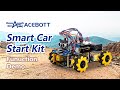 ACEBOTT QD001 Smart Car: Educational Toys for Kids, STEM Coding Kits with Obstacle Avoiding
 Turning a regular toy into a robot! 🤖
 Why do I want to buy anything robotic? Because are so cool!
 QD001 ESP32 Smart Car: Line Tracking, Obstacle Avoidance & Blockly Program | ACEBOTT
 ESP32 Smart Car — not just a toy, but your first step into robotics!
 ACEBOTT at GESS Dubai: Connecting with STEAM Schools, Educational Agencies, Institutions & Students!
 Target Focus! QD005 Water Ball Launcher Tank Robot Car with Cemera Pack | ACEBOTT
 ESP32 ACEBOTT Smart Home Starter Kit QE007: Arduino-Based STEM Kits for Kids!
