- Популярные видео
- Авто
- Видео-блоги
- ДТП, аварии
- Для маленьких
- Еда, напитки
- Животные
- Закон и право
- Знаменитости
- Игры
- Искусство
- Комедии
- Красота, мода
- Кулинария, рецепты
- Люди
- Мото
- Музыка
- Мультфильмы
- Наука, технологии
- Новости
- Образование
- Политика
- Праздники
- Приколы
- Природа
- Происшествия
- Путешествия
- Развлечения
- Ржач
- Семья
- Сериалы
- Спорт
- Стиль жизни
- ТВ передачи
- Танцы
- Технологии
- Товары
- Ужасы
- Фильмы
- Шоу-бизнес
- Юмор
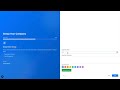
SimpleHR - Bulk Import Employees in Seconds | Download Template & Upload CSV
See how easy it is to bulk import employees into SimpleHR. In this short tutorial, I show you the full workflow: download the employee template, fill it with your data, and upload — done.
📋 STEPS
• Download the employee template — one click from the Employees page
• Template structure — sample rows with all supported fields (name, email, role, department, position, employment details, bank info, etc.)
• Libre Office is the best tool for the job.
• Upload your file — drag & drop or select; validation runs automatically
• Import results — per-row status (success, skipped, duplicate) with clear feedback
• What happens next — invitation emails sent (if SMTP is configured) or password reset instructions
✅ WHY IT'S EASY
• Template includes sample data so you can see the exact format
• Departments and positions are matched by name — no IDs needed
• Validation before import — clear errors if something is wrong
• Bulk import — add many employees in one go instead of one by one
🔗 LINKS
• SimpleHR Website: https://simplehr.site
• Contact & Support: https://simplehr.site/#contact
• Email Support: support@simplehr.site
SimpleHR is a complete HR management system for small and medium businesses. Self-host it or use the hosted version at simplehr.site.
#SimpleHR #HRSoftware #BulkImport #EmployeeImport #CSV #HRManagement
Видео SimpleHR - Bulk Import Employees in Seconds | Download Template & Upload CSV канала Forge Apps
📋 STEPS
• Download the employee template — one click from the Employees page
• Template structure — sample rows with all supported fields (name, email, role, department, position, employment details, bank info, etc.)
• Libre Office is the best tool for the job.
• Upload your file — drag & drop or select; validation runs automatically
• Import results — per-row status (success, skipped, duplicate) with clear feedback
• What happens next — invitation emails sent (if SMTP is configured) or password reset instructions
✅ WHY IT'S EASY
• Template includes sample data so you can see the exact format
• Departments and positions are matched by name — no IDs needed
• Validation before import — clear errors if something is wrong
• Bulk import — add many employees in one go instead of one by one
🔗 LINKS
• SimpleHR Website: https://simplehr.site
• Contact & Support: https://simplehr.site/#contact
• Email Support: support@simplehr.site
SimpleHR is a complete HR management system for small and medium businesses. Self-host it or use the hosted version at simplehr.site.
#SimpleHR #HRSoftware #BulkImport #EmployeeImport #CSV #HRManagement
Видео SimpleHR - Bulk Import Employees in Seconds | Download Template & Upload CSV канала Forge Apps
Комментарии отсутствуют
Информация о видео
4 марта 2026 г. 21:14:43
00:00:59
Другие видео канала