
- Популярные видео
- Авто
- Видео-блоги
- ДТП, аварии
- Для маленьких
- Еда, напитки
- Животные
- Закон и право
- Знаменитости
- Игры
- Искусство
- Комедии
- Красота, мода
- Кулинария, рецепты
- Люди
- Мото
- Музыка
- Мультфильмы
- Наука, технологии
- Новости
- Образование
- Политика
- Праздники
- Приколы
- Природа
- Происшествия
- Путешествия
- Развлечения
- Ржач
- Семья
- Сериалы
- Спорт
- Стиль жизни
- ТВ передачи
- Танцы
- Технологии
- Товары
- Ужасы
- Фильмы
- Шоу-бизнес
- Юмор
Want a PERFECT Classroom Design? Watch This Now
Creating a classroom layout using Microsoft Visio involves several steps to ensure a functional and efficient design. First, select a floor plan template that suits your classroom's dimensions. Visio offers a range of templates that can be used as a starting point for your layout. Once you have your template, use the drag-and-drop feature to add shapes representing desks, chairs, and other classroom elements. You can customize these shapes to reflect the actual size and arrangement of your classroom furniture.
For a more detailed and tailored layout, Visio allows you to use shape data to add specific details like student names or equipment numbers. This can be displayed alongside the shapes as Data Graphics, providing a clear and informative view of your classroom setup. Grouping shapes together can help in organizing the layout and making it easier to edit later on. If you need to replicate a set of furniture, like rows of desks, you can group them and then copy and paste as needed.
Remember to consider the flow of movement within the classroom when designing your layout. Leave enough space for both students and teachers to move around comfortably. The teacher's desk should be positioned for optimal visibility of the entire classroom, and the student desks arranged so that each student has a clear view of the teacher and the board.
Visio also offers features for more advanced users, such as linking data from Excel to automate the labelling process or creating custom templates for future use. For those new to Visio, there are numerous tutorials available online that provide step-by-step instructions on creating various types of diagrams, including classroom layouts.
In summary, Microsoft Visio is a powerful tool for creating detailed and customized classroom layouts. By starting with a template, adding and customizing shapes, grouping and replicating elements, and considering the classroom dynamics, you can design a layout that enhances the
Microsoft Visio tutorials
#msvisio
#Visio
Видео Want a PERFECT Classroom Design? Watch This Now канала ITsEasyMSVisio
For a more detailed and tailored layout, Visio allows you to use shape data to add specific details like student names or equipment numbers. This can be displayed alongside the shapes as Data Graphics, providing a clear and informative view of your classroom setup. Grouping shapes together can help in organizing the layout and making it easier to edit later on. If you need to replicate a set of furniture, like rows of desks, you can group them and then copy and paste as needed.
Remember to consider the flow of movement within the classroom when designing your layout. Leave enough space for both students and teachers to move around comfortably. The teacher's desk should be positioned for optimal visibility of the entire classroom, and the student desks arranged so that each student has a clear view of the teacher and the board.
Visio also offers features for more advanced users, such as linking data from Excel to automate the labelling process or creating custom templates for future use. For those new to Visio, there are numerous tutorials available online that provide step-by-step instructions on creating various types of diagrams, including classroom layouts.
In summary, Microsoft Visio is a powerful tool for creating detailed and customized classroom layouts. By starting with a template, adding and customizing shapes, grouping and replicating elements, and considering the classroom dynamics, you can design a layout that enhances the
Microsoft Visio tutorials
#msvisio
#Visio
Видео Want a PERFECT Classroom Design? Watch This Now канала ITsEasyMSVisio
Комментарии отсутствуют
Информация о видео
4 октября 2024 г. 19:22:23
00:12:07
Другие видео канала
 6 EASY Way to Make Organisation Charts in Microsoft Visio
 Top Microsoft VISIO Expert Shares Webpage Design Secrets
 Expert Tips to CUSTOMISE Microsoft Visio Like a Pro
 Create Your Dream Office Layout with Microsoft Visio!
 Link Excel DIRECTLY into Your Flowchart in 2024!
 CREATE Your Perfect Schedule with a Gantt Chart!
![Value Stream Mapping in Microsoft Visio for Beginners [2024]](https://i.ytimg.com/vi/z8zdbUPptQ0/default.jpg) Value Stream Mapping in Microsoft Visio for Beginners [2024]
Value Stream Mapping in Microsoft Visio for Beginners [2024]
 Did You Know Visio Can Do This With Sub-Processes?
 Pivot Diagram EXPLAINED in Microsoft Visio
 Essential Guide to Microsoft Visio for Beginners
 Design Custom Shapes and Stencils in Microsoft Visio - Easy Tutorial
 What's the BEST Way to Design a Room with Microsoft Visio?
 Unlock EPC Diagrams: Visio Tutorial for Beginners!
 Project planning secrets: Visio timeline transformation
 Top Data Visualization Features in Microsoft Visio You Need to Know
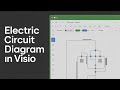 Create Your FIRST Electric Circuit Diagram with Microsoft Visio in Just 5 Minutes
 Secrets to Mastering BPMN Diagrams in Visio
 Use an organisation chart to create your family tree
 5 Simple Steps to Master Microsoft Visio 2024 Workflow Diagrams
 How to Make Flowcharts in Microsoft Visio - Easy Tutorial!
