
- Популярные видео
- Авто
- Видео-блоги
- ДТП, аварии
- Для маленьких
- Еда, напитки
- Животные
- Закон и право
- Знаменитости
- Игры
- Искусство
- Комедии
- Красота, мода
- Кулинария, рецепты
- Люди
- Мото
- Музыка
- Мультфильмы
- Наука, технологии
- Новости
- Образование
- Политика
- Праздники
- Приколы
- Природа
- Происшествия
- Путешествия
- Развлечения
- Ржач
- Семья
- Сериалы
- Спорт
- Стиль жизни
- ТВ передачи
- Танцы
- Технологии
- Товары
- Ужасы
- Фильмы
- Шоу-бизнес
- Юмор
#5 How to Complete a Final Survey Using Field Data
How to Complete a Final Survey Using Field Data?
- Import the actual survey data into Civil 3D.
- Adjust point style and label style (including point number, point elevation, and point description)
- Draw the boundary of the property, which is highlighted in red on the recorded plats
- Draw the house based on actual survey points and field notes
- Draw the building setback line and easement line based on recorded plats
- Add the lot numbers to the boundaries based on the recorded plats.
- After completing the necessary steps, we will copy them to a different position to create a new project from the boundary we just drew. We do this to make it easier to work with and manage the layers, and we will move them back to the original position when finished
- Match layers for adjacent lots to clearly distinguish the boundaries between properties
- Turn on and turn off the necessary layers to easily manage the drawing
- Move them back to the original position
- Label the corners of the boundary
- Draw the field data recorded on the subject property, such as porch, patio, fence, city walk, driveway, etc., based on the survey points and field notes from the field surveys
- Draw the porch, patio, A/C slab, and concrete stoop from the field notes
- Draw public walk, conc. driveway from the field notes and adjust the water meter point to the correct point style, label style, and layer
- Draw wood fence from the field notes
- Draw retaining wall from the field notes
- Label the field data, building setback line, and easement line with text and arrows to clarify the information on the drawing
- Add a north arrow
- Measure the distance of the house to the property boundary, and add detailed dimensions for the house and the field data on the drawing
- Label bearings and distance of the boundary
- Fill in the legal description and information for the subject property
- Preview PDF, check and complete project
-------------------
Civil Outsourcing - Civil Engineering And Land Survey
🔹 Website: https://civiloutsourcing.com/
🔹 E-mail: contact@civiloutsourcing.com
#civiloutsourcing #AutodeskCivil3D #landsurveying #autocad #civil3d #civilengineeringdrafting
Видео #5 How to Complete a Final Survey Using Field Data канала Civil Outsourcing - Civil and Land Survey
- Import the actual survey data into Civil 3D.
- Adjust point style and label style (including point number, point elevation, and point description)
- Draw the boundary of the property, which is highlighted in red on the recorded plats
- Draw the house based on actual survey points and field notes
- Draw the building setback line and easement line based on recorded plats
- Add the lot numbers to the boundaries based on the recorded plats.
- After completing the necessary steps, we will copy them to a different position to create a new project from the boundary we just drew. We do this to make it easier to work with and manage the layers, and we will move them back to the original position when finished
- Match layers for adjacent lots to clearly distinguish the boundaries between properties
- Turn on and turn off the necessary layers to easily manage the drawing
- Move them back to the original position
- Label the corners of the boundary
- Draw the field data recorded on the subject property, such as porch, patio, fence, city walk, driveway, etc., based on the survey points and field notes from the field surveys
- Draw the porch, patio, A/C slab, and concrete stoop from the field notes
- Draw public walk, conc. driveway from the field notes and adjust the water meter point to the correct point style, label style, and layer
- Draw wood fence from the field notes
- Draw retaining wall from the field notes
- Label the field data, building setback line, and easement line with text and arrows to clarify the information on the drawing
- Add a north arrow
- Measure the distance of the house to the property boundary, and add detailed dimensions for the house and the field data on the drawing
- Label bearings and distance of the boundary
- Fill in the legal description and information for the subject property
- Preview PDF, check and complete project
-------------------
Civil Outsourcing - Civil Engineering And Land Survey
🔹 Website: https://civiloutsourcing.com/
🔹 E-mail: contact@civiloutsourcing.com
#civiloutsourcing #AutodeskCivil3D #landsurveying #autocad #civil3d #civilengineeringdrafting
Видео #5 How to Complete a Final Survey Using Field Data канала Civil Outsourcing - Civil and Land Survey
convert pdf to dwg pdf to dwg in autocad cad services cad drafting services outsource cad drafting services cad outsourcing cad drafting outsourcing autocad outsourcing work outsource cad conversion autocad drafting outsourcing cad outsourcing companies how to get cad outsourcing projects cad conversion services
Комментарии отсутствуют
Информация о видео
30 сентября 2025 г. 18:00:34
00:00:50
Другие видео канала
 How to convert a PDF to a DWG in AutoCAD?
 OUTSOURCE TO VIETNAM: WHAT YOU NEED TO KNOW? | Civil Outsourcing | Outsourcing In Vietnam
 INTERNAL TRAINING | TRAFFIC CONTROL PLAN
 #1 HOW TO COMPLETE THE STORMTECH CHAMBER SYSTEM REPORT BY USING HydroCAD
 WITH A 2-STEP QA PROCESS, WE CATCH DESIGN ISSUES EARLY — BEFORE THEY COST YOU TIME & MONEY #CIVIL3D
 HOW DOES CIVIL OUTSOURCING COMMIT TO FAST TURNAROUND TIME?
 TEAM BUILDING TO CELEBRATE 5 YEARS OF ESTABLISHMENT OF AIDEDO JOINT STOCK COMPANY
 HOW DOES OUTSOURCING MAKE A POSITIVE EFFECT ON THE US ECONOMY? | Civil Outsourcing
 INTERNAL TRAINING | DEVELOPING TOOLS & PLUGINS FOR AUTOCAD, CIVIL 3D USING C# AUTOCAD.NET API
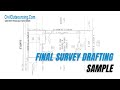 Final Survey Drafting Sample | Civil Engineering Outsourcing
 #4 How Do We Calculate A Stockpile Volume From Point Data? | CIVIL 3D EXPERT OUTSOURCE
 #4 HOW DID WE SUCCEED IN DELIVERING 103 ACRE LAND DEVELOPMENT PROJECT WITH 287 LOTS
 Today, we delivered an urgent Land Surveying Drafting project in 24 hours for a client in California
 #2 How to Draw an Elevation from a Detailed Survey Plan
 #1 INTERNAL TRAINING GRADING TAKEOFF FOR EARTHWORK CALCULATION
 POINT CLOUD TO REVIT MODEL SAMPLE | OUTSOURCING ENGINEERING SERVICES
 #2 How Do We Calculate A Stockpile Volume From Point Data? | CIVIL 3D EXPERT OUTSOURCE
 #3 HOW DOES CIVIL OUTSOURCING ENSURE PROJECT QUALITY
 HOW IMPORTANT ARE CIVIL ENGINEERING DRAFTING SERVICES? | Civil Outsourcing
 HOW TO COMPLETE FLOOR PLAN FROM POINT CLOUD DATA | CIVIL OUTSOURCING
