
- Популярные видео
- Авто
- Видео-блоги
- ДТП, аварии
- Для маленьких
- Еда, напитки
- Животные
- Закон и право
- Знаменитости
- Игры
- Искусство
- Комедии
- Красота, мода
- Кулинария, рецепты
- Люди
- Мото
- Музыка
- Мультфильмы
- Наука, технологии
- Новости
- Образование
- Политика
- Праздники
- Приколы
- Природа
- Происшествия
- Путешествия
- Развлечения
- Ржач
- Семья
- Сериалы
- Спорт
- Стиль жизни
- ТВ передачи
- Танцы
- Технологии
- Товары
- Ужасы
- Фильмы
- Шоу-бизнес
- Юмор
How to Edit Videos in Descript: Transcript Editing, Scenes, Layouts + AI Tools I Descript 101
✨Try Descript: https://bit.ly/4ulTtC7
Edit videos by editing text ✂️🎬 In this Descript 101 webinar, Aaron and Marcelo show how Descript’s transcript-based editor helps you cut filler words, clean up audio, reframe scenes, and export to YouTube—without living in a timeline.
🎥 Sign up for future live events: https://luma.com/descript?utm_source=ytdescription
You’ll learn how to:
✅ Record or import media (camera, screen, audio-only, Rooms, drag-and-drop)
✅ Cut video by deleting words in the transcript (plus undo + version history)
✅ Fix transcription errors with Correct (find/replace style)
✅ Collaborate with highlights, comments, and strikethrough (skip without hiding)
✅ Use AI tools like Studio Sound and Eye Contact
✅ Build better visuals with Scenes + Layouts (B-roll-only, text-only quote layouts, layout packs)
✅ Translate + dub into other languages
✅ Export video/audio + captions (SRT/VTT) and publish to YouTube
Chapters:
03:04 Webinar kickoff (Aaron + Marcelo)
03:35 What you’ll learn + live Q&A format
09:07 Getting content into Descript (record + import options)
11:19 Transcript-based editing (delete words to cut video)
13:34 Correcting transcription mistakes (Correct / find & replace)
15:47 Collaboration tools (highlight, comments, strikethrough/ignore)
18:07 Copy/paste in transcript = copy/paste media behavior
19:52 Edit transcript text without changing audio/video (caption accuracy)
20:35 Regenerate (replace words with your AI voice; consent required)
22:42 Scene editor basics (position, shape, replace media, effects/animations)
24:31 AI Tools panel overview (Sounding good / Looking good / Repurpose / Publish / Write)
25:34 Studio Sound (noise reduction + vocal enhancement slider)
26:37 Eye Contact (auto-adjust gaze to camera)
28:49 Scenes + Layouts explained (scene boundaries + templates)
34:42 B-roll-only scenes (layout swap example)
39:14 Text-only / quote layout (captions as a “quote” scene)
40:46 Layout packs (style packs like Helsinki Blueberry / Berlin Carrot)
42:09 Version history (restore previous versions)
43:24 Translate + dub (match meaning vs match timing; optional lip sync)
46:10 Export options (publish destinations + local export settings + language export)
48:12 Captions export (SRT/VTT) + text export
49:11 Green screen (virtual background removal via effects)
51:03 Aspect ratios + reframing via layouts
53:16 Desktop app vs web (when to use each; Chrome recommendation)
1:00:24 Import motion graphics + Media Library for reuse
1:01:26 AI voice consent process (Speakers → New speaker → read script)
1:03:05 Compositions clarification (what compositions are / aren’t)
✨Try Descript: https://bit.ly/4ulTtC7
----------------------------------
📺 Subscribe on YouTube @Descript
🆘 For help: http://help.descript.com
🫂 Community: http://discord.gg/descript
𝕏 X: https://x.com/descriptapp/
📷 Instagram: https://www.instagram.com/descript_app/
📘 Facebook: https://www.facebook.com/descriptapp/
⌨️ Blog: http://descript.com/blog
🪵 Changelog: http://changelog.descript.com
🎥 Sign up for future live events: https://luma.com/descript?utm_source=ytdescription
----------------------------------
✨Try Descript: https://bit.ly/4ulTtC7
#descript #videoediting #aiediting #captions #subtitles #contentcreation #creatorworkflow #videotutorial #youtubetips #videoeditor
Видео How to Edit Videos in Descript: Transcript Editing, Scenes, Layouts + AI Tools I Descript 101 канала Descript
Edit videos by editing text ✂️🎬 In this Descript 101 webinar, Aaron and Marcelo show how Descript’s transcript-based editor helps you cut filler words, clean up audio, reframe scenes, and export to YouTube—without living in a timeline.
🎥 Sign up for future live events: https://luma.com/descript?utm_source=ytdescription
You’ll learn how to:
✅ Record or import media (camera, screen, audio-only, Rooms, drag-and-drop)
✅ Cut video by deleting words in the transcript (plus undo + version history)
✅ Fix transcription errors with Correct (find/replace style)
✅ Collaborate with highlights, comments, and strikethrough (skip without hiding)
✅ Use AI tools like Studio Sound and Eye Contact
✅ Build better visuals with Scenes + Layouts (B-roll-only, text-only quote layouts, layout packs)
✅ Translate + dub into other languages
✅ Export video/audio + captions (SRT/VTT) and publish to YouTube
Chapters:
03:04 Webinar kickoff (Aaron + Marcelo)
03:35 What you’ll learn + live Q&A format
09:07 Getting content into Descript (record + import options)
11:19 Transcript-based editing (delete words to cut video)
13:34 Correcting transcription mistakes (Correct / find & replace)
15:47 Collaboration tools (highlight, comments, strikethrough/ignore)
18:07 Copy/paste in transcript = copy/paste media behavior
19:52 Edit transcript text without changing audio/video (caption accuracy)
20:35 Regenerate (replace words with your AI voice; consent required)
22:42 Scene editor basics (position, shape, replace media, effects/animations)
24:31 AI Tools panel overview (Sounding good / Looking good / Repurpose / Publish / Write)
25:34 Studio Sound (noise reduction + vocal enhancement slider)
26:37 Eye Contact (auto-adjust gaze to camera)
28:49 Scenes + Layouts explained (scene boundaries + templates)
34:42 B-roll-only scenes (layout swap example)
39:14 Text-only / quote layout (captions as a “quote” scene)
40:46 Layout packs (style packs like Helsinki Blueberry / Berlin Carrot)
42:09 Version history (restore previous versions)
43:24 Translate + dub (match meaning vs match timing; optional lip sync)
46:10 Export options (publish destinations + local export settings + language export)
48:12 Captions export (SRT/VTT) + text export
49:11 Green screen (virtual background removal via effects)
51:03 Aspect ratios + reframing via layouts
53:16 Desktop app vs web (when to use each; Chrome recommendation)
1:00:24 Import motion graphics + Media Library for reuse
1:01:26 AI voice consent process (Speakers → New speaker → read script)
1:03:05 Compositions clarification (what compositions are / aren’t)
✨Try Descript: https://bit.ly/4ulTtC7
----------------------------------
📺 Subscribe on YouTube @Descript
🆘 For help: http://help.descript.com
🫂 Community: http://discord.gg/descript
𝕏 X: https://x.com/descriptapp/
📷 Instagram: https://www.instagram.com/descript_app/
📘 Facebook: https://www.facebook.com/descriptapp/
⌨️ Blog: http://descript.com/blog
🪵 Changelog: http://changelog.descript.com
🎥 Sign up for future live events: https://luma.com/descript?utm_source=ytdescription
----------------------------------
✨Try Descript: https://bit.ly/4ulTtC7
#descript #videoediting #aiediting #captions #subtitles #contentcreation #creatorworkflow #videotutorial #youtubetips #videoeditor
Видео How to Edit Videos in Descript: Transcript Editing, Scenes, Layouts + AI Tools I Descript 101 канала Descript
ai video editing free video editing tutorial video editing video editing for beginners video editing laptop ai video editing video editing tips video editing tutorial for beginners descript tutorial how to use descript ai video editor descript video editor descript video editing descript ai descript tutorial for beginners descript demo best ai video editor descript app descript video editing tutorial what is descript video editor ai video editing tools
Комментарии отсутствуют
Информация о видео
5 марта 2026 г. 1:15:23
01:07:58
Другие видео канала
 Instant Highlight Reel Videos I Descript
 Create highlight reels of customer testimonials in Descript
 Descript Version 104 - Changelog
 Free AI Video Generator I Descript #shorts #descriptai #descript
 How to Film YouTube Videos Like a Pro (Beginner Guide) I Creator Bootcamp Ep. 4
 Descript Support Q&A — Templates, Audio Replacement, Studio Sound & Underlord
 Fix Caption Timing Issues in Descript (Quick Tip) #shorts #videoediting #ai
 Descript Support Q&A
 Layers, Shortcuts, AI Credits & More — Descript Live Q&A with the Support Team
 Community Office Hours
 Make Content, Not Excuses. SF Tech Week at Descript #shorts
 How to Make Viral Caption Compilations for Social Media in Descript
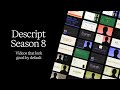 Descript Season 8: Scenes and layouts community Q&A
 Can I Make a Video Before 5PM? I Descript
 Animate Without Keyframes in Seconds | Descript Tutorial #shorts #videoediting #ai
![Descript 2026 Telethon: We're Fixing Your Most-Requested Features Live [Day 1 of 2]](https://i.ytimg.com/vi/N-sIrbxRS_4/default.jpg) Descript 2026 Telethon: We're Fixing Your Most-Requested Features Live [Day 1 of 2]
Descript 2026 Telethon: We're Fixing Your Most-Requested Features Live [Day 1 of 2]
 The Secret to High-Performing Reels, Shorts & TikToks
 Stop Promoting Your Podcast on Social Media — Do This Instead I Descript
 4 Podcast Clip Mistakes Killing Your Engagement (And How to Fix Them)
 How to Use Descript’s Built-In Teleprompter
 Turn Webinars into Dozens of Short-Form Clips — Automatically with Descript AI
