
- Популярные видео
- Авто
- Видео-блоги
- ДТП, аварии
- Для маленьких
- Еда, напитки
- Животные
- Закон и право
- Знаменитости
- Игры
- Искусство
- Комедии
- Красота, мода
- Кулинария, рецепты
- Люди
- Мото
- Музыка
- Мультфильмы
- Наука, технологии
- Новости
- Образование
- Политика
- Праздники
- Приколы
- Природа
- Происшествия
- Путешествия
- Развлечения
- Ржач
- Семья
- Сериалы
- Спорт
- Стиль жизни
- ТВ передачи
- Танцы
- Технологии
- Товары
- Ужасы
- Фильмы
- Шоу-бизнес
- Юмор
STOP treating SharePoint like a File Share (Do These 5 Things Instead)
⭐ Intranet Site Builders Master Class here: https://academy365.podia.com/sharepoint-intranet-site-build-master-class
⭐ SharePoint Training & Education Platform Site: https://academy365.podia.com/training-education-intranet-site
🏷️ Use coupon code FLASH30 for 30% off 😁 Just enter at checkout!
In this video, I’ll show you how to transform SharePoint into a clean, user-friendly document management system using out-of-the-box features you can use today.
We’ll walk through a real-world example of project file management, covering:
✅ Content Types – Organise your documents with structured metadata
✅ Document Sets – Smart folders with shared metadata
✅ Folders (yes, folders!) – Strategic sub-organisation
✅ Cascading Metadata – Show only relevant options based on project phase
✅ Personalised Views – See only your documents with a single click
✅ BONUS: Copilot – Use AI to surface documents and insights instantly
💥 Whether you’re new to SharePoint or a seasoned user, this is the upgrade your document libraries have been waiting for.
⏱️ Timestamps
00:00 – Introduction: Why SharePoint document chaos is so common
02:47 – Feature 1: SharePoint Content Types
14:15 – Feature 2: SharePoint Document Sets
23:53 – Feature 3: SharePoint Folders
30:46 – Feature 4: SharePoint Cascading Metadata
36:45 – Feature 5: SharePoint Personalised Views
-----------------------------------------------------------
Видео STOP treating SharePoint like a File Share (Do These 5 Things Instead) канала Academy 365
⭐ SharePoint Training & Education Platform Site: https://academy365.podia.com/training-education-intranet-site
🏷️ Use coupon code FLASH30 for 30% off 😁 Just enter at checkout!
In this video, I’ll show you how to transform SharePoint into a clean, user-friendly document management system using out-of-the-box features you can use today.
We’ll walk through a real-world example of project file management, covering:
✅ Content Types – Organise your documents with structured metadata
✅ Document Sets – Smart folders with shared metadata
✅ Folders (yes, folders!) – Strategic sub-organisation
✅ Cascading Metadata – Show only relevant options based on project phase
✅ Personalised Views – See only your documents with a single click
✅ BONUS: Copilot – Use AI to surface documents and insights instantly
💥 Whether you’re new to SharePoint or a seasoned user, this is the upgrade your document libraries have been waiting for.
⏱️ Timestamps
00:00 – Introduction: Why SharePoint document chaos is so common
02:47 – Feature 1: SharePoint Content Types
14:15 – Feature 2: SharePoint Document Sets
23:53 – Feature 3: SharePoint Folders
30:46 – Feature 4: SharePoint Cascading Metadata
36:45 – Feature 5: SharePoint Personalised Views
-----------------------------------------------------------
Видео STOP treating SharePoint like a File Share (Do These 5 Things Instead) канала Academy 365
SharePoint SharePoint Tutorial SharePoint Userexperience Academy 365 SharePoint best practice sharepoint training User experience Web parts no code SharePoint SharePoint customization SharePoint document management SharePoint content types SharePoint folders vs metadata SharePoint document library best practices Microsoft 365 tips SharePoint for beginners Document sets SharePoint SharePoint list views
Комментарии отсутствуют
Информация о видео
25 июня 2025 г. 17:00:28
00:42:02
Другие видео канала
 How I designed the Spotify Intranet Homepage
 Stop designing SharePoint sites like Microsoft… here’s what I do instead
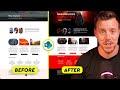 The Easiest Way to Rebrand SharePoint’s Page Gallery Templates
 Build a Classifieds for your SharePoint Intranet with JSON : PART 1
 How to Build an Automated For Sale Noticeboard for your Intranet : PART 2
 Build and embed an interactive process within SharePoint!
 Flexible Sections: SharePoints BIGGEST UPDATE and why I won't be using it!
 I Let AI Build My SharePoint Web Part—Here’s What Happened
 How to Customise SharePoint Search - Verticals, Filters, Result Layouts!!!
 6 ways to create Document Templates in SharePoint Online
 SharePoint List Dynamic Filtering DONE RIGHT thanks to Chat GPT
 Nobody Told You SharePoint Could Do THIS
 SharePoint Tutorial | Build a Netflix User Experience in SharePoint Online for Video
 How to create CUSTOMISED colour themes in SharePoint Online like a pro!
 SharePoint Page Headers are gone... Create your own!
 SharePoint Tutorial | Top 2 ways to use SharePoint Metadata 🥸🚀
 SharePoint Tutorial - Site Permission Management 101
 SharePoint Document User Experience Cheat Codes
 🔥 SharePoint Tutorial - Use a custom JSON list view to create a video playlist on your Intranet
 I built a SharePoint escape room... my most creative project yet!
 SharePoint Tutorial - How to roll up documents from multiple sites with Highlighted Content webpart
