
- Популярные видео
- Авто
- Видео-блоги
- ДТП, аварии
- Для маленьких
- Еда, напитки
- Животные
- Закон и право
- Знаменитости
- Игры
- Искусство
- Комедии
- Красота, мода
- Кулинария, рецепты
- Люди
- Мото
- Музыка
- Мультфильмы
- Наука, технологии
- Новости
- Образование
- Политика
- Праздники
- Приколы
- Природа
- Происшествия
- Путешествия
- Развлечения
- Ржач
- Семья
- Сериалы
- Спорт
- Стиль жизни
- ТВ передачи
- Танцы
- Технологии
- Товары
- Ужасы
- Фильмы
- Шоу-бизнес
- Юмор
How to Clean Install NVIDIA Driver 596.49 for Best Performance
Clear your NVIDIA shader cache and optimize the new NVIDIA App settings to fix shader stutter, reduce FPS drops, and improve gaming performance after the latest update.
In this video, I’ll show the best NVIDIA settings to boost FPS, lower input delay, improve frametime stability, and make your games feel smoother and more responsive.
Title: How to Clean Install NVIDIA Driver 596.49 for Best Performance
Boost your FPS, reduce input delay, and make Windows feel cleaner for gaming with TweakShift: https://tweakshift.com
Video Chapters:
0:00 - Clean Install NVIDIA 596.49 Driver
0:17 - Download DDU Properly
0:31 - Boot Into Safe Mode
0:48 - Remove Old NVIDIA Drivers
1:12 - Download NVIDIA 596.49 Driver
1:20 - Use NVCleanInstall
1:54 - Remove Unnecessary Driver Components
2:20 - Perform Clean Installation
2:42 - Best NVIDIA App Settings
3:03 - Best Low Latency Settings
3:19 - Maximum Performance Mode
3:28 - Best Texture Filtering Settings
3:48 - Optimize Per-Game NVIDIA Settings
4:11 - FPS Before vs After
4:45 - Final Results
PC Specifications Used in This Video:
CPU: Intel Core i5-12600K
GPU: NVIDIA GeForce RTX 3070
RAM: 32GB Corsair DDR4 @ 3200MHz
Storage: 2TB NVMe SSD
💬 Feedback? Suggestions? Leave a comment below!
👍 Like if this helped & share with your friends
🔔 Subscribe for more performance boosts, FPS guides & tools
Ignore these tags:
NVIDIA shader cache, clear NVIDIA shader cache, NVIDIA App settings, best NVIDIA settings, NVIDIA App optimization, fix shader stutter, NVIDIA FPS boost, optimize NVIDIA settings, NVIDIA new update, NVIDIA settings for gaming, boost FPS NVIDIA, lower input delay NVIDIA, fix FPS drops, reduce stutters, gaming optimization, NVIDIA Control Panel settings, shader cache fix, GPU optimization, improve gaming performance, smooth gameplay, frametime stability, Windows gaming optimization
Видео How to Clean Install NVIDIA Driver 596.49 for Best Performance канала Manno
In this video, I’ll show the best NVIDIA settings to boost FPS, lower input delay, improve frametime stability, and make your games feel smoother and more responsive.
Title: How to Clean Install NVIDIA Driver 596.49 for Best Performance
Boost your FPS, reduce input delay, and make Windows feel cleaner for gaming with TweakShift: https://tweakshift.com
Video Chapters:
0:00 - Clean Install NVIDIA 596.49 Driver
0:17 - Download DDU Properly
0:31 - Boot Into Safe Mode
0:48 - Remove Old NVIDIA Drivers
1:12 - Download NVIDIA 596.49 Driver
1:20 - Use NVCleanInstall
1:54 - Remove Unnecessary Driver Components
2:20 - Perform Clean Installation
2:42 - Best NVIDIA App Settings
3:03 - Best Low Latency Settings
3:19 - Maximum Performance Mode
3:28 - Best Texture Filtering Settings
3:48 - Optimize Per-Game NVIDIA Settings
4:11 - FPS Before vs After
4:45 - Final Results
PC Specifications Used in This Video:
CPU: Intel Core i5-12600K
GPU: NVIDIA GeForce RTX 3070
RAM: 32GB Corsair DDR4 @ 3200MHz
Storage: 2TB NVMe SSD
💬 Feedback? Suggestions? Leave a comment below!
👍 Like if this helped & share with your friends
🔔 Subscribe for more performance boosts, FPS guides & tools
Ignore these tags:
NVIDIA shader cache, clear NVIDIA shader cache, NVIDIA App settings, best NVIDIA settings, NVIDIA App optimization, fix shader stutter, NVIDIA FPS boost, optimize NVIDIA settings, NVIDIA new update, NVIDIA settings for gaming, boost FPS NVIDIA, lower input delay NVIDIA, fix FPS drops, reduce stutters, gaming optimization, NVIDIA Control Panel settings, shader cache fix, GPU optimization, improve gaming performance, smooth gameplay, frametime stability, Windows gaming optimization
Видео How to Clean Install NVIDIA Driver 596.49 for Best Performance канала Manno
NVIDIA shader cache clear NVIDIA shader cache NVIDIA App settings best NVIDIA settings NVIDIA App optimization fix shader stutter NVIDIA FPS boost optimize NVIDIA settings NVIDIA new update NVIDIA settings for gaming boost FPS NVIDIA lower input delay NVIDIA fix FPS drops gaming optimization NVIDIA Control Panel settings shader cache fix GPU optimization smooth gameplay frametime stability Windows gaming optimization display driver uninstaller tutorial
Комментарии отсутствуют
Информация о видео
17 мая 2026 г. 0:30:23
00:04:59
Другие видео канала
 How to OVERCLOCK Your GPU! 🚀 Ultimate Universal Guide 2026
 This Real-Time AI Voice Changer Works Everywhere - EaseUS VoiceWave
 Best NVIDIA Driver for Hogwarts Legacy – 566.36 vs 591.44 vs 531.79 vs 591.59 FPS Comparison
 Best FiveM Setting to Boost FPS & Fix FPS Drops! - Best FiveM Settings 2025
 Best NVIDIA Settings for GTA FiveM – Boost FPS & Fix Stutters
 Your NVIDIA Driver Is RUINING FPS in Fortnite Season 2 - (595.71 vs 595.79 vs 581.86 vs 566.36)
 NVIDIA Drivers Are Breaking Fortnite Performance – 566.36 vs 591.44 vs 531.79 vs 591.59
 These Apps Are KILLING Your FPS – FIX Them NOW!
 Fix Low GPU & High CPU Usage in GTA FiveM – Stop FPS Drop
 Stop Using the Wrong NVIDIA Driver for VALORANT – 581.94 vs 591.86 vs 566.36 vs 595.97
 Optimize Windows 11 for Gaming – Best FPS & No Delay Settings
 STOP Using the Wrong NVIDIA Driver for Valorant - 566.36 vs 581.80 vs 531.79 vs 591.74
 Clean Install NVIDIA Drivers + Clear Shader Cache – BIG FPS Boost
 These Network Optimizations are KILLING Your INTERNET - FIX IT NOW
 Your NVIDIA Driver Is Broken – Fix It With a Clean Install (FPS Boost)
 Ultimate Windows Optimization Tool 🔧 Boost FPS & Lower Input Delay
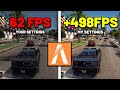 Low GPU Usage Is KILLING Your FPS in FiveM - (FIX LAG & BOOST FPS!)
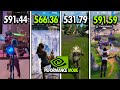 Best NVIDIA Driver for Fortnite Performance Mode – 566.36 vs 591.44 vs 531.79 vs 591.59
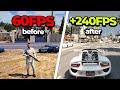 I Tried Best Optimization to Boost FPS In FiveM - 2025 Guide
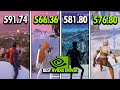 NVIDIA Drivers Are BREAKING Fortnite FPS – 566.36 vs 591.74 vs 581.80 vs 576.80
 CS2 Best Settings – Boost FPS & Fix FPS Drops (Low-End PC)
