
- Популярные видео
- Авто
- Видео-блоги
- ДТП, аварии
- Для маленьких
- Еда, напитки
- Животные
- Закон и право
- Знаменитости
- Игры
- Искусство
- Комедии
- Красота, мода
- Кулинария, рецепты
- Люди
- Мото
- Музыка
- Мультфильмы
- Наука, технологии
- Новости
- Образование
- Политика
- Праздники
- Приколы
- Природа
- Происшествия
- Путешествия
- Развлечения
- Ржач
- Семья
- Сериалы
- Спорт
- Стиль жизни
- ТВ передачи
- Танцы
- Технологии
- Товары
- Ужасы
- Фильмы
- Шоу-бизнес
- Юмор
How to Install Tesseract OCR on Windows and use it with Python
This is a walkthrough for installing tesseract on Windows and configuring it to be able to programatically use it with Python.
As a bonus I show how you can parallelized execution with the multiprocessing package Pool module on Windows.
Also, the recon screenshot tool for Bug Bounties I was thinking of is GoWitness. https://github.com/sensepost/gowitness
Use your powers for good.....or evil. Whatever, I'm a YouTuber not a cop.
00:00 Intro/What is Tesseract
00:55 Installing pytesseract with pip
01:55 Installing Tesseract OCR exe
04:00 Extracting text
04:12 Adding Tesseract to Path
09:45 Creating a function to classify documents
19:50 A bit about what an image file really is
22:10 Handling errors gracefully
22:35 Adding Return Codes
26:15 Vertical Scaling using Multiprocessing
30:00 Putting it all together
35:00 Demo of how multiprocessing doesn't work in a notebook on Windows
36:14 Conclusion
Видео How to Install Tesseract OCR on Windows and use it with Python канала Data Slinger
As a bonus I show how you can parallelized execution with the multiprocessing package Pool module on Windows.
Also, the recon screenshot tool for Bug Bounties I was thinking of is GoWitness. https://github.com/sensepost/gowitness
Use your powers for good.....or evil. Whatever, I'm a YouTuber not a cop.
00:00 Intro/What is Tesseract
00:55 Installing pytesseract with pip
01:55 Installing Tesseract OCR exe
04:00 Extracting text
04:12 Adding Tesseract to Path
09:45 Creating a function to classify documents
19:50 A bit about what an image file really is
22:10 Handling errors gracefully
22:35 Adding Return Codes
26:15 Vertical Scaling using Multiprocessing
30:00 Putting it all together
35:00 Demo of how multiprocessing doesn't work in a notebook on Windows
36:14 Conclusion
Видео How to Install Tesseract OCR on Windows and use it with Python канала Data Slinger
Комментарии отсутствуют
Информация о видео
10 ноября 2023 г. 6:33:48
00:37:06
Другие видео канала
 Pulling Chicago Crime Data to duckdb using dlt
 Installing Mage AI on Linux
 Installing Google CLI (SDK) on Debian Based OSs the Right Way
 Connecting to Minio Running on Raspberry Pi 4
 Capture Daily Weather Data with DLT using a GCP Cloud Function and Big Query
 Installing Python 3 on Windows 10
 Walk Through of Running SQL Practice Flight Data Repo from my Github
 PART 1: Ubuntu VM and Non Root User Setup with SSH on Digital Ocean
 Introduction to UDFs in SparkSQL
 Connecting to AWS with AWS Toolkit from Visual Studio Code
 Intro to Terraform Creating a GCS Bucket and Big Query Dataset
 Setting up a VM (Compute Instance) and Big Query Dataset on GCP with Terraform
 Copy my Data Engineering Portfolio Github Pages Site Using the Template Button
 No Output While Running Deepseek with Ollama on Linux
 Local setup of Kaggle Flight Delay Data in PostgreSQL with Pgadmin
 Setting up a VM on GCP and SSH from Visual Studio Code with a config file
 Running a Simple Aiflow Dag on GCP with an Instance Schedule for a Dollar a Month
 PlaylistGuide-LLM Walkthrough
 Launch VM with Service Account on GCP to Write to Cloud Storage
 Push Local Code to Github if you Forgot to Create and Clone a Repo First
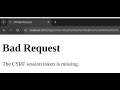 Fix CSRF Error Logging into Airflow with Chrome
