
- Популярные видео
- Авто
- Видео-блоги
- ДТП, аварии
- Для маленьких
- Еда, напитки
- Животные
- Закон и право
- Знаменитости
- Игры
- Искусство
- Комедии
- Красота, мода
- Кулинария, рецепты
- Люди
- Мото
- Музыка
- Мультфильмы
- Наука, технологии
- Новости
- Образование
- Политика
- Праздники
- Приколы
- Природа
- Происшествия
- Путешествия
- Развлечения
- Ржач
- Семья
- Сериалы
- Спорт
- Стиль жизни
- ТВ передачи
- Танцы
- Технологии
- Товары
- Ужасы
- Фильмы
- Шоу-бизнес
- Юмор
Installing Pop OS!
In today’s video we will be installing Pop OS! Below is the checklist of how this distribution performed. Also there are my amazon links to the hardware used in the video.
How to install windows apps on Linux - https://youtu.be/TgY7UIcv9Cc
1. Install time and complexity of install. Should be strait forward and simple. - Pass
2. Load time to login screen or desktop. Should be under 1 minute. - Pass
3. User Interface. Should be simple to navigate and easy to find all the settings and update system. - Pass
4. Make sure drivers are installed and working. - Pass
5. Bluetooth. Check to see if Bluetooth works. - Pass
6. Networking. Check network to see if it talks to other PC's. - Pass
7. Open office program and write a text file. Send file over network. - Pass
8. Install a native Linux application. - Pass
9. Install a windows application. - Pass/Fail
10. Install and play a game! – Pass/Fail
Amazon Links – Helps the channel get better equipment! Thank You!
CPU: https://amzn.to/4qIsqOs
Closet Match GPU: https://amzn.to/4rqpWWd
16GB Match RAM: https://amzn.to/3MIrQlE
Motherboard: https://amzn.to/4clEMIX
Storage: https://amzn.to/3OziglH
Case: https://amzn.to/4rqqbk5
Cooler: https://amzn.to/4tJ91PX
Thermal Paste: https://amzn.to/4kEECOE
Fans: https://amzn.to/46hKOWZ
Power Supply: https://amzn.to/4cBmof0
Keyboard: https://amzn.to/4rknX5D
WIFI/Bluetooth Card: https://amzn.to/4qKKN5c
Controller: https://amzn.to/4rrIZ2r
External Storage: https://amzn.to/3Mj4D9P
Capture Card: https://amzn.to/3NZkhYw
Everything Else: https://amzn.to/41sq1Nu
Видео Installing Pop OS! канала Lets Install Linux
How to install windows apps on Linux - https://youtu.be/TgY7UIcv9Cc
1. Install time and complexity of install. Should be strait forward and simple. - Pass
2. Load time to login screen or desktop. Should be under 1 minute. - Pass
3. User Interface. Should be simple to navigate and easy to find all the settings and update system. - Pass
4. Make sure drivers are installed and working. - Pass
5. Bluetooth. Check to see if Bluetooth works. - Pass
6. Networking. Check network to see if it talks to other PC's. - Pass
7. Open office program and write a text file. Send file over network. - Pass
8. Install a native Linux application. - Pass
9. Install a windows application. - Pass/Fail
10. Install and play a game! – Pass/Fail
Amazon Links – Helps the channel get better equipment! Thank You!
CPU: https://amzn.to/4qIsqOs
Closet Match GPU: https://amzn.to/4rqpWWd
16GB Match RAM: https://amzn.to/3MIrQlE
Motherboard: https://amzn.to/4clEMIX
Storage: https://amzn.to/3OziglH
Case: https://amzn.to/4rqqbk5
Cooler: https://amzn.to/4tJ91PX
Thermal Paste: https://amzn.to/4kEECOE
Fans: https://amzn.to/46hKOWZ
Power Supply: https://amzn.to/4cBmof0
Keyboard: https://amzn.to/4rknX5D
WIFI/Bluetooth Card: https://amzn.to/4qKKN5c
Controller: https://amzn.to/4rrIZ2r
External Storage: https://amzn.to/3Mj4D9P
Capture Card: https://amzn.to/3NZkhYw
Everything Else: https://amzn.to/41sq1Nu
Видео Installing Pop OS! канала Lets Install Linux
Pop OS! Pop OS Linux Linux Apps Linux Applications Steam Windows Windows 7 Windows 10 Windows 11 Windows Apps Windows Applications Rockstar Rockstar Games Rockstar Games Launcher Apps Applications Windows Apps On Linux Windows Applications On Linux Hotfix Install Installing Installation OS Operating System
Комментарии отсутствуют
Информация о видео
1 апреля 2026 г. 11:00:14
00:43:32
Другие видео канала
 Installing Debian OS with KDE Plasma desktop environment
 Installing Linux Mint With Cinnamon Desktop Environment
 Installing Fedora With KDE Plasma
 Installing Bazzite
 Installing Ubuntu
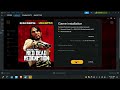 How to install Windows apps on Linux
 Installing Zorin OS
 Installing Cachy OS With KDE Plasma Desktop Environment
 My Personal System Information Video
 Installing Open Suse Leap 16
 Installing MX Linux
