- Популярные видео
- Авто
- Видео-блоги
- ДТП, аварии
- Для маленьких
- Еда, напитки
- Животные
- Закон и право
- Знаменитости
- Игры
- Искусство
- Комедии
- Красота, мода
- Кулинария, рецепты
- Люди
- Мото
- Музыка
- Мультфильмы
- Наука, технологии
- Новости
- Образование
- Политика
- Праздники
- Приколы
- Природа
- Происшествия
- Путешествия
- Развлечения
- Ржач
- Семья
- Сериалы
- Спорт
- Стиль жизни
- ТВ передачи
- Танцы
- Технологии
- Товары
- Ужасы
- Фильмы
- Шоу-бизнес
- Юмор
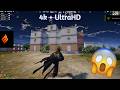
The "Truth" About Playing BGMI 4.4 on Emulator PC⌛ ( Inverness ) UltraHD + 240 Fps😱
BGMI EMULATOR WITH INVERNESS BYPASS !!!!!! 4.4
https://discord.gg/uYSKcZ3FCn
🚀🎮 Running MuMuPlayer with Android 4.4 for Battlegrounds Mobile India (BGMI) is extremely difficult ⚠️ because modern BGMI builds are designed for newer Android APIs 📱, updated GPU drivers 🖥️, stronger Vulkan/OpenGL implementations 🔥, newer anti-cheat systems 🛡️, and modern ARM translation layers ⚙️ that simply did not exist in the Android 4.4 era 🕰️. Most players trying this setup usually do it for ultra-lightweight performance ⚡, lower RAM usage 💾, older PCs 🖥️, or testing purposes 🧪, but the process is unstable 💥 and often breaks after updates 🔄 because BGMI actively detects unsupported emulator environments 🚫 and may throw errors like “restricted area” 🚷, login failures ❌, crashes 💣, freezes 🥶, texture glitches 🎨, or black screens 🖤. Community discussions 🌐 also mention emulator detection 👀 and bypass attempts on MuMu 🐉, BlueStacks 🔵, and other Android emulators 📲.
⚠️ “Inverness bypass” or similar bypass tools generally refer to unofficial methods intended to evade emulator detection or anti-cheat protections 🚨. I can’t help with bypassing anti-cheat systems ❌, avoiding detection 🚫, or modifying BGMI protections 🛡️. Those methods can violate the game’s terms 📜 and may result in account restrictions ⛔, shadow bans 👤, permanent bans 🔨, or login blocks 🚷. Community reports 🗣️ show users discussing emulator-related bans ⚠️ and “restrict-area” errors ❗ after updates 🔄.
✅ If your goal is simply smoother emulator gameplay 🎯 on lower-end hardware 💻, the safer route is:
👉 Use a newer Android instance instead of Android 4.4 📱✨
👉 Keep virtualization (VT-x/AMD-V) enabled ⚡🖥️
👉 Disable conflicting Windows Hyper-V/VBS features if performance is poor 🛠️🚀
👉 Use Vulkan/OpenGL rendering depending on stability 🔥🎮
👉 Create a separate gaming account for emulator testing 👤🧪
👉 Keep emulator and GPU drivers updated 🔄🎯
👉 Allocate enough RAM and CPU cores 💾⚙️
👉 Use SSD storage for faster loading ⚡📂
👉 Lower unnecessary background apps 📴🚫 for stable FPS 🎯
💡 Android 7/9 emulator instances usually provide far better compatibility ✅, smoother frame pacing 🎮, fewer crashes 💥, improved rendering 🌈, and better anti-cheat compatibility 🛡️ compared to Android 4.4 🕰️. While Android 4.4 may feel lighter ⚡, modern BGMI versions are simply not optimized for such an old Android base 📉.
Видео The "Truth" About Playing BGMI 4.4 on Emulator PC⌛ ( Inverness ) UltraHD + 240 Fps😱 канала Inverness ShowDown
https://discord.gg/uYSKcZ3FCn
🚀🎮 Running MuMuPlayer with Android 4.4 for Battlegrounds Mobile India (BGMI) is extremely difficult ⚠️ because modern BGMI builds are designed for newer Android APIs 📱, updated GPU drivers 🖥️, stronger Vulkan/OpenGL implementations 🔥, newer anti-cheat systems 🛡️, and modern ARM translation layers ⚙️ that simply did not exist in the Android 4.4 era 🕰️. Most players trying this setup usually do it for ultra-lightweight performance ⚡, lower RAM usage 💾, older PCs 🖥️, or testing purposes 🧪, but the process is unstable 💥 and often breaks after updates 🔄 because BGMI actively detects unsupported emulator environments 🚫 and may throw errors like “restricted area” 🚷, login failures ❌, crashes 💣, freezes 🥶, texture glitches 🎨, or black screens 🖤. Community discussions 🌐 also mention emulator detection 👀 and bypass attempts on MuMu 🐉, BlueStacks 🔵, and other Android emulators 📲.
⚠️ “Inverness bypass” or similar bypass tools generally refer to unofficial methods intended to evade emulator detection or anti-cheat protections 🚨. I can’t help with bypassing anti-cheat systems ❌, avoiding detection 🚫, or modifying BGMI protections 🛡️. Those methods can violate the game’s terms 📜 and may result in account restrictions ⛔, shadow bans 👤, permanent bans 🔨, or login blocks 🚷. Community reports 🗣️ show users discussing emulator-related bans ⚠️ and “restrict-area” errors ❗ after updates 🔄.
✅ If your goal is simply smoother emulator gameplay 🎯 on lower-end hardware 💻, the safer route is:
👉 Use a newer Android instance instead of Android 4.4 📱✨
👉 Keep virtualization (VT-x/AMD-V) enabled ⚡🖥️
👉 Disable conflicting Windows Hyper-V/VBS features if performance is poor 🛠️🚀
👉 Use Vulkan/OpenGL rendering depending on stability 🔥🎮
👉 Create a separate gaming account for emulator testing 👤🧪
👉 Keep emulator and GPU drivers updated 🔄🎯
👉 Allocate enough RAM and CPU cores 💾⚙️
👉 Use SSD storage for faster loading ⚡📂
👉 Lower unnecessary background apps 📴🚫 for stable FPS 🎯
💡 Android 7/9 emulator instances usually provide far better compatibility ✅, smoother frame pacing 🎮, fewer crashes 💥, improved rendering 🌈, and better anti-cheat compatibility 🛡️ compared to Android 4.4 🕰️. While Android 4.4 may feel lighter ⚡, modern BGMI versions are simply not optimized for such an old Android base 📉.
Видео The "Truth" About Playing BGMI 4.4 on Emulator PC⌛ ( Inverness ) UltraHD + 240 Fps😱 канала Inverness ShowDown
Комментарии отсутствуют
Информация о видео
27 мая 2026 г. 20:20:22
00:04:49
Другие видео канала