- Популярные видео
- Авто
- Видео-блоги
- ДТП, аварии
- Для маленьких
- Еда, напитки
- Животные
- Закон и право
- Знаменитости
- Игры
- Искусство
- Комедии
- Красота, мода
- Кулинария, рецепты
- Люди
- Мото
- Музыка
- Мультфильмы
- Наука, технологии
- Новости
- Образование
- Политика
- Праздники
- Приколы
- Природа
- Происшествия
- Путешествия
- Развлечения
- Ржач
- Семья
- Сериалы
- Спорт
- Стиль жизни
- ТВ передачи
- Танцы
- Технологии
- Товары
- Ужасы
- Фильмы
- Шоу-бизнес
- Юмор
How to Set up Mobile Inventory Management System with POS for your Business without a Computer
Running a business — whether it’s a supermarket, boutique, pharmacy, restaurant, or even a wholesale shop — comes with a lot of responsibilities. You have to manage your sales, keep track of stock, and handle your staff properly if you want to grow and succeed. That’s why you need more than just a basic sales machine. You need a smart POS system with built-in Inventory Management and HRM (Human Resource Management) — all in one place.
A modern POS (Point of Sale) system does much more than just record sales or print receipts. It gives you complete control over your daily operations — from tracking products and managing stock, to monitoring staff activity and processing salaries. Everything is organized, automated, and easily accessible, whether you're in the shop or checking remotely.
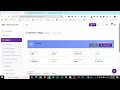
Let’s start with inventory. With a POS that includes inventory management, you can upload all your products, set prices, assign categories, barcodes, and monitor how much stock you have. Each time you make a sale, the system automatically updates your stock. When it’s running low, you get alerts, so you always know when to restock. That means no more guesswork, no more overstocking, and no more running out of popular items.
You can also record purchases from your suppliers, see which items are selling fast (or not selling at all), and download full inventory reports whenever you want. Whether you sell 50 products or 5,000, this kind of system helps you stay in control and avoid costly mistakes.
Now let’s talk about sales. The POS system makes it quick and easy to process customer payments. You can apply discounts, print receipts, and accept payments through cash, card, transfer, or mobile money. And if you have more than one shop, you can track all sales from one central dashboard — in real time. You’ll always know what’s happening, even if you're not physically there.
But here’s where this system really stands out — the HRM module. This lets you register your staff, assign roles like cashier, manager, or stock officer, and decide what each person can access. You can track when they clock in, monitor their login activity, and even generate payroll automatically based on their work hours and salary.
You’ll be able to see exactly who sold what, at what time, and whether any refunds or suspicious transactions took place. This helps reduce theft, improve staff accountability, and save you the headache of calculating salaries manually.
For business owners, this system offers peace of mind. You can monitor your entire business remotely — from sales and stock levels to staff performance — using just your phone or laptop.
With this all-in-one POS system, you’ll save time, reduce errors, prevent losses, and make better business decisions using real data. You can generate daily, weekly, or monthly reports, check your profit margins, and see how your business is truly performing.
This kind of solution is perfect for:
Supermarkets and mini-marts
Fashion boutiques
Restaurants and cafés
Pharmacies
Electronics stores
Hardware shops
Wholesale and retail businesses
And many other types of stores
If you're still using a notebook, a calculator, or a basic POS that only handles sales, you’re missing out on valuable tools that can help you grow. It’s time to upgrade to a smarter system that works with you — not against you.
Want to see how it works? Click the demo link in the description to watch it in action. We also provide full installation, setup, and staff training — whether you want it installed on your local system or hosted online.
If this video helped you, don’t forget to like, comment, and subscribe for more smart tools that help you run your business better. You can also reach out directly on WhatsApp — the number is in the description.
https://wa.link/t81a14
Видео How to Set up Mobile Inventory Management System with POS for your Business without a Computer канала Nipcin Webcrafts
A modern POS (Point of Sale) system does much more than just record sales or print receipts. It gives you complete control over your daily operations — from tracking products and managing stock, to monitoring staff activity and processing salaries. Everything is organized, automated, and easily accessible, whether you're in the shop or checking remotely.
Let’s start with inventory. With a POS that includes inventory management, you can upload all your products, set prices, assign categories, barcodes, and monitor how much stock you have. Each time you make a sale, the system automatically updates your stock. When it’s running low, you get alerts, so you always know when to restock. That means no more guesswork, no more overstocking, and no more running out of popular items.
You can also record purchases from your suppliers, see which items are selling fast (or not selling at all), and download full inventory reports whenever you want. Whether you sell 50 products or 5,000, this kind of system helps you stay in control and avoid costly mistakes.
Now let’s talk about sales. The POS system makes it quick and easy to process customer payments. You can apply discounts, print receipts, and accept payments through cash, card, transfer, or mobile money. And if you have more than one shop, you can track all sales from one central dashboard — in real time. You’ll always know what’s happening, even if you're not physically there.
But here’s where this system really stands out — the HRM module. This lets you register your staff, assign roles like cashier, manager, or stock officer, and decide what each person can access. You can track when they clock in, monitor their login activity, and even generate payroll automatically based on their work hours and salary.
You’ll be able to see exactly who sold what, at what time, and whether any refunds or suspicious transactions took place. This helps reduce theft, improve staff accountability, and save you the headache of calculating salaries manually.
For business owners, this system offers peace of mind. You can monitor your entire business remotely — from sales and stock levels to staff performance — using just your phone or laptop.
With this all-in-one POS system, you’ll save time, reduce errors, prevent losses, and make better business decisions using real data. You can generate daily, weekly, or monthly reports, check your profit margins, and see how your business is truly performing.
This kind of solution is perfect for:
Supermarkets and mini-marts
Fashion boutiques
Restaurants and cafés
Pharmacies
Electronics stores
Hardware shops
Wholesale and retail businesses
And many other types of stores
If you're still using a notebook, a calculator, or a basic POS that only handles sales, you’re missing out on valuable tools that can help you grow. It’s time to upgrade to a smarter system that works with you — not against you.
Want to see how it works? Click the demo link in the description to watch it in action. We also provide full installation, setup, and staff training — whether you want it installed on your local system or hosted online.
If this video helped you, don’t forget to like, comment, and subscribe for more smart tools that help you run your business better. You can also reach out directly on WhatsApp — the number is in the description.
https://wa.link/t81a14
Видео How to Set up Mobile Inventory Management System with POS for your Business without a Computer канала Nipcin Webcrafts
Комментарии отсутствуют
Информация о видео
26 мая 2025 г. 7:21:16
00:18:15
Другие видео канала