
- Популярные видео
- Авто
- Видео-блоги
- ДТП, аварии
- Для маленьких
- Еда, напитки
- Животные
- Закон и право
- Знаменитости
- Игры
- Искусство
- Комедии
- Красота, мода
- Кулинария, рецепты
- Люди
- Мото
- Музыка
- Мультфильмы
- Наука, технологии
- Новости
- Образование
- Политика
- Праздники
- Приколы
- Природа
- Происшествия
- Путешествия
- Развлечения
- Ржач
- Семья
- Сериалы
- Спорт
- Стиль жизни
- ТВ передачи
- Танцы
- Технологии
- Товары
- Ужасы
- Фильмы
- Шоу-бизнес
- Юмор
How to license an Accelerator 365 product
Learn how to license an Accelerator 365 product in SharePoint.
This walkthrough covers both steps: enabling custom scripts on your App Catalog site and applying your license key in the license dialog box to unlock all purchased Accelerator 365 products across your tenant.
🔗 How to license an Accelerator 365 product: https://support.accelerator365.com/en/getting-started/how-to-license-an-accelerator-app?utm_source=youtube&utm_medium=social&utm_campaign=how_to_license_an_app
🔗 How to enable custom scripts (required before licensing): https://support.accelerator365.com/en/technical/how-to-enable-custom-scripts?utm_source=youtube&utm_medium=social&utm_campaign=how_to_license_an_app
📘 Visit our knowledge base for more help: https://support.accelerator365.com?utm_source=youtube&utm_medium=social&utm_campaign=how_to_license_an_app
🖥️ Explore Accelerator 365 products: https://accelerator365.com/products?utm_source=youtube&utm_medium=social&utm_campaign=how_to_license_an_app
00:00 - Introduction
00:10 - Prerequisite callout
00:21 - Enabling Custom Scripts
01:12 - Applying License Key
01:53 - Congratulations
👍 Like this video and subscribe for more quick Accelerator 365 guides.
#SharePoint #Microsoft365 #CustomScripts #Intranet #Accelerator365
Видео How to license an Accelerator 365 product канала Accelerator 365
This walkthrough covers both steps: enabling custom scripts on your App Catalog site and applying your license key in the license dialog box to unlock all purchased Accelerator 365 products across your tenant.
🔗 How to license an Accelerator 365 product: https://support.accelerator365.com/en/getting-started/how-to-license-an-accelerator-app?utm_source=youtube&utm_medium=social&utm_campaign=how_to_license_an_app
🔗 How to enable custom scripts (required before licensing): https://support.accelerator365.com/en/technical/how-to-enable-custom-scripts?utm_source=youtube&utm_medium=social&utm_campaign=how_to_license_an_app
📘 Visit our knowledge base for more help: https://support.accelerator365.com?utm_source=youtube&utm_medium=social&utm_campaign=how_to_license_an_app
🖥️ Explore Accelerator 365 products: https://accelerator365.com/products?utm_source=youtube&utm_medium=social&utm_campaign=how_to_license_an_app
00:00 - Introduction
00:10 - Prerequisite callout
00:21 - Enabling Custom Scripts
01:12 - Applying License Key
01:53 - Congratulations
👍 Like this video and subscribe for more quick Accelerator 365 guides.
#SharePoint #Microsoft365 #CustomScripts #Intranet #Accelerator365
Видео How to license an Accelerator 365 product канала Accelerator 365
Комментарии отсутствуют
Информация о видео
17 июня 2026 г. 15:00:06
00:02:15
Другие видео канала
 Accelerator 365 - 2025 SharePoint Hackathon
 How does SharePoint know which language to display | #sharepoint
 Translator for SharePoint - Installation instructions
 My Contacts by Accelerator 365 - Introduction
 How to update an Accelerator 365 app
 Glossary by Accelerator 365 - Introduction
 Translator for SharePoint - Getting started
 Why translation in SharePoint doesn't always mean what you think | #sharepoint
 Back to Top by Accelerator 365 - Introduction
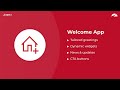 Welcome by Accelerator 365 - Introduction
 How to claim a free trial - Walkthrough
 Anniversaries by Accelerator 365 - Introduction
 How to automate content translation in SharePoint | #sharepoint
 How to claim a free 60-day trial
 The Accordion app for SharePoint Online by Accelerator 365
 Adding new languages to your site in SharePoint | #sharepoint
 How to install an Accelerator 365 app from the SharePoint Store
 People Directory by Accelerator 365 - Introduction
 What to be aware of when translating content in SharePoint | #sharepoint
 What should you know about SharePoint language options | #sharepoint
