
- Популярные видео
- Авто
- Видео-блоги
- ДТП, аварии
- Для маленьких
- Еда, напитки
- Животные
- Закон и право
- Знаменитости
- Игры
- Искусство
- Комедии
- Красота, мода
- Кулинария, рецепты
- Люди
- Мото
- Музыка
- Мультфильмы
- Наука, технологии
- Новости
- Образование
- Политика
- Праздники
- Приколы
- Природа
- Происшествия
- Путешествия
- Развлечения
- Ржач
- Семья
- Сериалы
- Спорт
- Стиль жизни
- ТВ передачи
- Танцы
- Технологии
- Товары
- Ужасы
- Фильмы
- Шоу-бизнес
- Юмор
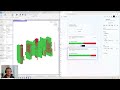
Vyssuals | Rule Checking
https://vyssuals.com let's you define rules, select and color elements, so you can correct your Revit model with real-time feedback.
The video assumes type naming standards that say:
- Interior walls 𝘁𝘆𝗽𝗲 𝗻𝗮𝗺𝗲 𝗺𝘂𝘀𝘁 𝘀𝘁𝗮𝗿𝘁 𝘄𝗶𝘁𝗵 ‘𝗜𝗪_’
- Interior walls must have ‘𝗙𝘂𝗻𝗰𝘁𝗶𝗼𝗻’ 𝘀𝗲𝘁 𝘁𝗼 ‘𝗜𝗻𝘁𝗲𝗿𝗶𝗼𝗿’
We could check this in a single rule, but I would advise against that.
If we check both conditions at the same time, we don’t know which of them is violated.
Instead, break it down into 2 simple steps:
𝗦𝗧𝗘𝗣 𝟭: 𝗖𝗵𝗲𝗰𝗸 𝘁𝗵𝗲 𝘁𝘆𝗽𝗲 𝗻𝗮𝗺𝗲𝘀.
• Use a simple rule to check for ‘𝗧𝘆𝗽𝗲 𝗡𝗮𝗺𝗲’ 𝘀𝘁𝗮𝗿𝘁𝘀 𝘄𝗶𝘁𝗵 ‘𝗜𝗪_’
• Give the model a spin and find any suspicious walls
• Change the type name if needed.
Now that you have cleaned up the type names you can 𝗿𝗲𝗹𝘆 𝗼𝗻 𝘁𝗵𝗲𝗺 𝗳𝗼𝗿 𝘁𝗵𝗲 𝗻𝗲𝘅𝘁 𝘀𝘁𝗲𝗽.
𝗦𝗧𝗘𝗣 𝟮: 𝗖𝗵𝗲𝗰𝗸 𝘁𝗵𝗲 ‘𝗙𝘂𝗻𝗰𝘁𝗶𝗼𝗻’ 𝗽𝗮𝗿𝗮𝗺𝗲𝘁𝗲𝗿
• Use a filter to only look at 𝘄𝗮𝗹𝗹𝘀 𝘀𝘁𝗮𝗿𝘁𝗶𝗻𝗴 𝘄𝗶𝘁𝗵 ‘𝗜𝗪_’
• Set a rule for ‘𝗙𝘂𝗻𝗰𝘁𝗶𝗼𝗻’ 𝗲𝗾𝘂𝗮𝗹𝘀 ‘𝗜𝗻𝘁𝗲𝗿𝗶𝗼𝗿’
• This way you have defined that you expect all walls that start with ‘IW_’ to have ‘Function’ ‘Interior’
• If they do so, they are colored green, if not, they turn red.
• Again, give the model a spin an pick out walls that look wrong.
Видео Vyssuals | Rule Checking канала Vyssuals
The video assumes type naming standards that say:
- Interior walls 𝘁𝘆𝗽𝗲 𝗻𝗮𝗺𝗲 𝗺𝘂𝘀𝘁 𝘀𝘁𝗮𝗿𝘁 𝘄𝗶𝘁𝗵 ‘𝗜𝗪_’
- Interior walls must have ‘𝗙𝘂𝗻𝗰𝘁𝗶𝗼𝗻’ 𝘀𝗲𝘁 𝘁𝗼 ‘𝗜𝗻𝘁𝗲𝗿𝗶𝗼𝗿’
We could check this in a single rule, but I would advise against that.
If we check both conditions at the same time, we don’t know which of them is violated.
Instead, break it down into 2 simple steps:
𝗦𝗧𝗘𝗣 𝟭: 𝗖𝗵𝗲𝗰𝗸 𝘁𝗵𝗲 𝘁𝘆𝗽𝗲 𝗻𝗮𝗺𝗲𝘀.
• Use a simple rule to check for ‘𝗧𝘆𝗽𝗲 𝗡𝗮𝗺𝗲’ 𝘀𝘁𝗮𝗿𝘁𝘀 𝘄𝗶𝘁𝗵 ‘𝗜𝗪_’
• Give the model a spin and find any suspicious walls
• Change the type name if needed.
Now that you have cleaned up the type names you can 𝗿𝗲𝗹𝘆 𝗼𝗻 𝘁𝗵𝗲𝗺 𝗳𝗼𝗿 𝘁𝗵𝗲 𝗻𝗲𝘅𝘁 𝘀𝘁𝗲𝗽.
𝗦𝗧𝗘𝗣 𝟮: 𝗖𝗵𝗲𝗰𝗸 𝘁𝗵𝗲 ‘𝗙𝘂𝗻𝗰𝘁𝗶𝗼𝗻’ 𝗽𝗮𝗿𝗮𝗺𝗲𝘁𝗲𝗿
• Use a filter to only look at 𝘄𝗮𝗹𝗹𝘀 𝘀𝘁𝗮𝗿𝘁𝗶𝗻𝗴 𝘄𝗶𝘁𝗵 ‘𝗜𝗪_’
• Set a rule for ‘𝗙𝘂𝗻𝗰𝘁𝗶𝗼𝗻’ 𝗲𝗾𝘂𝗮𝗹𝘀 ‘𝗜𝗻𝘁𝗲𝗿𝗶𝗼𝗿’
• This way you have defined that you expect all walls that start with ‘IW_’ to have ‘Function’ ‘Interior’
• If they do so, they are colored green, if not, they turn red.
• Again, give the model a spin an pick out walls that look wrong.
Видео Vyssuals | Rule Checking канала Vyssuals
Комментарии отсутствуют
Информация о видео
13 ноября 2025 г. 22:31:28
00:00:45
Другие видео канала
 Vyssuals | Revit Data Visualisation | Massing Studies | Design options
 Vyssuals | Floor Area Ratio in Revit (GRZ) with Data Visualisation
 Vyssuals | Shared Dashboards
 Vyssuals | 3D Rooms and Areas in Revit + Data Visualisation
 Vyssuals | Switch Revit Views and Files
 Carbon and LCA Calculations in Revit with External Build-Up Tables
 Vyssuals | Revit Material Takeoff Dashboard
 Vyssuals | Default Charts per Category | Revit Data Visualization
 Vyssuals | Exchange Revit Data Without Excel
 Vyssuals | Overview | Revit Data Visualisation
 Vyssuals | Reorder Charts | Revit Data Visualisation
 Vyssuals | Channels Overview
 Vyssuals | Filtering | Revit Data Visualization
 Vyssuals | Automatic Dashboards | Revit Data Visualisation
 Vyssuals | Infinite Canvas
 Vyssuals | Revit Model Checking With Rules
 Vyssuals | 1.0 Release New Features
 Vyssuals | Real Time Data Visualisation For Revit | Overview
 Vyssuals | Custom Color Overrides | Revit Data Visualization
 Revit Node Graph Walkthrough: Transfer Room Data to Doors in Minutes
