- Популярные видео
- Авто
- Видео-блоги
- ДТП, аварии
- Для маленьких
- Еда, напитки
- Животные
- Закон и право
- Знаменитости
- Игры
- Искусство
- Комедии
- Красота, мода
- Кулинария, рецепты
- Люди
- Мото
- Музыка
- Мультфильмы
- Наука, технологии
- Новости
- Образование
- Политика
- Праздники
- Приколы
- Природа
- Происшествия
- Путешествия
- Развлечения
- Ржач
- Семья
- Сериалы
- Спорт
- Стиль жизни
- ТВ передачи
- Танцы
- Технологии
- Товары
- Ужасы
- Фильмы
- Шоу-бизнес
- Юмор
Mastering AppSheet Data: Google Skills Live Lab Session with Qwiklabs at @OmmNoMi
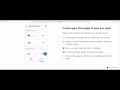
Join this comprehensive live lab session powered by Google Skills and Qwiklabs as we build a functional Inventory Manager App from scratch. This walkthrough covers everything from initial data connection to advanced UI customization and data validation.
What you will learn in this session:
1. App Setup and Data Integration
How to use temporary Qwiklabs credentials to launch AppSheet and connect existing Google Sheets data. We start by importing the core product tables to establish our app's foundation.
2. Relational Data and Column Configurations
Master the "Ref" (Reference) column type to connect products with categories and suppliers. Learn how to update data types for inventory accuracy, changing decimal fields to whole numbers for better data integrity.
3. Powerful Formulas and Expressions
Understand the difference between Spreadsheet Formulas (RC definitions) and AppSheet Formulas. We demonstrate how to create virtual columns for automatic price calculations and set up unique IDs using the CONCATENATE function.
4. Advanced Data Features
See how to implement "Change Timestamps" to track exactly when a product price was last updated. We also explore content-rich column types, including PDF file uploads and digital signature capture for receiving logs.
5. Data Slices and UI Customization
Learn how to create "Low Inventory" slices to filter data automatically for business operations. We also walk through building various views, including Gallery, Card, and professional Dashboard views for desktop and mobile users.
6. Logic and Constraints
Improve user experience by using "Show If" and "Valid If" constraints. We demonstrate how to hide unnecessary fields and set numeric range limits (0–50) to prevent data entry errors.
Timeline of Tasks Covered:
Creating the Inventory Manager app from existing data
Adding and configuring tables (Shipping, Receiving, Suppliers)
Customizing app views and card layouts
Implementing spreadsheet and app formulas
Using change timestamps and signature types
Creating data slices for filtered views
Setting up data validity constraints
By the end of this video, you will see how to achieve a perfect 100/100 score on this Google Skills lab!
#OmmNoMi #OmmNoMi_Automation #GoogleSkills #Qwiklabs #AppSheet #NoCode #GoogleCloud #InventoryManagement #AppDevelopment #TechTutorial
Видео Mastering AppSheet Data: Google Skills Live Lab Session with Qwiklabs at @OmmNoMi канала Nomeshwer Sharma
What you will learn in this session:
1. App Setup and Data Integration
How to use temporary Qwiklabs credentials to launch AppSheet and connect existing Google Sheets data. We start by importing the core product tables to establish our app's foundation.
2. Relational Data and Column Configurations
Master the "Ref" (Reference) column type to connect products with categories and suppliers. Learn how to update data types for inventory accuracy, changing decimal fields to whole numbers for better data integrity.
3. Powerful Formulas and Expressions
Understand the difference between Spreadsheet Formulas (RC definitions) and AppSheet Formulas. We demonstrate how to create virtual columns for automatic price calculations and set up unique IDs using the CONCATENATE function.
4. Advanced Data Features
See how to implement "Change Timestamps" to track exactly when a product price was last updated. We also explore content-rich column types, including PDF file uploads and digital signature capture for receiving logs.
5. Data Slices and UI Customization
Learn how to create "Low Inventory" slices to filter data automatically for business operations. We also walk through building various views, including Gallery, Card, and professional Dashboard views for desktop and mobile users.
6. Logic and Constraints
Improve user experience by using "Show If" and "Valid If" constraints. We demonstrate how to hide unnecessary fields and set numeric range limits (0–50) to prevent data entry errors.
Timeline of Tasks Covered:
Creating the Inventory Manager app from existing data
Adding and configuring tables (Shipping, Receiving, Suppliers)
Customizing app views and card layouts
Implementing spreadsheet and app formulas
Using change timestamps and signature types
Creating data slices for filtered views
Setting up data validity constraints
By the end of this video, you will see how to achieve a perfect 100/100 score on this Google Skills lab!
#OmmNoMi #OmmNoMi_Automation #GoogleSkills #Qwiklabs #AppSheet #NoCode #GoogleCloud #InventoryManagement #AppDevelopment #TechTutorial
Видео Mastering AppSheet Data: Google Skills Live Lab Session with Qwiklabs at @OmmNoMi канала Nomeshwer Sharma
Комментарии отсутствуют
Информация о видео
12 ч. 58 мин. назад
01:10:41
Другие видео канала