
- Популярные видео
- Авто
- Видео-блоги
- ДТП, аварии
- Для маленьких
- Еда, напитки
- Животные
- Закон и право
- Знаменитости
- Игры
- Искусство
- Комедии
- Красота, мода
- Кулинария, рецепты
- Люди
- Мото
- Музыка
- Мультфильмы
- Наука, технологии
- Новости
- Образование
- Политика
- Праздники
- Приколы
- Природа
- Происшествия
- Путешествия
- Развлечения
- Ржач
- Семья
- Сериалы
- Спорт
- Стиль жизни
- ТВ передачи
- Танцы
- Технологии
- Товары
- Ужасы
- Фильмы
- Шоу-бизнес
- Юмор
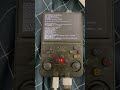
dArkOSRE R36S HANDHELD CONSOLE RTL-SDR & TERMINAL
I installed dArkOSRE-R36 on my GameConsole R36S Rockchip3326 @southoz github.
Then edited settings to show full quit menu.
I pressed exit emulator system.
After that, when the black screen came, pressed alt+f4 on my bluetooth keyboard which connects using usb c to usb a to usb dock.
In settings, opened activate online services.
I use a wifi usb module . At my laptop I entered
in windows cmd:
ssh ark@your-ip-adress with (password (ark)
From the cmd terminal on my laptop I was be able to install packages at the Debian 13 Trixie build like I was used to on normal debian.
I have a rtl-sdr v4 usb module with dipolar antenna. The handheld console is compatible with the module.
Used Gemini to write a .sh file with instructions on showing a terminal-based fm radio with sound.
Till now, this darkOS build is the most reliable linux build for the R36S. I have a EE Clone
panel 8. When the handheld waa received, made a backup of the original .dtb files and whole filesystem with windiskimager32.
Next, I want to develop a gqrx-sdr like GUI lightweight on XFCE Desktop enviroment and improve sound quality of received frequency. I also was be able to successfully receive the Dutch P2000 Emergency radio public pager signal.
My primary goal is to be able to use this console as a primal cyber-deck till I can afford the: *ClockWork Pi with RPI CM5 4GB* .
Feel free to ask if you have any questions,
If you want to buy me a gift; just send me message on comments.
Kind Regards,
H.
Видео dArkOSRE R36S HANDHELD CONSOLE RTL-SDR & TERMINAL канала H7
Then edited settings to show full quit menu.
I pressed exit emulator system.
After that, when the black screen came, pressed alt+f4 on my bluetooth keyboard which connects using usb c to usb a to usb dock.
In settings, opened activate online services.
I use a wifi usb module . At my laptop I entered
in windows cmd:
ssh ark@your-ip-adress with (password (ark)
From the cmd terminal on my laptop I was be able to install packages at the Debian 13 Trixie build like I was used to on normal debian.
I have a rtl-sdr v4 usb module with dipolar antenna. The handheld console is compatible with the module.
Used Gemini to write a .sh file with instructions on showing a terminal-based fm radio with sound.
Till now, this darkOS build is the most reliable linux build for the R36S. I have a EE Clone
panel 8. When the handheld waa received, made a backup of the original .dtb files and whole filesystem with windiskimager32.
Next, I want to develop a gqrx-sdr like GUI lightweight on XFCE Desktop enviroment and improve sound quality of received frequency. I also was be able to successfully receive the Dutch P2000 Emergency radio public pager signal.
My primary goal is to be able to use this console as a primal cyber-deck till I can afford the: *ClockWork Pi with RPI CM5 4GB* .
Feel free to ask if you have any questions,
If you want to buy me a gift; just send me message on comments.
Kind Regards,
H.
Видео dArkOSRE R36S HANDHELD CONSOLE RTL-SDR & TERMINAL канала H7
Комментарии отсутствуют
Информация о видео
7 мая 2026 г. 22:22:46
00:03:16
Другие видео канала
 Morse code from gps coordinates #gnss #baidou #gps #inprogress
 Linux ssh terminal on dArkOSRE debian with R36S in the background
 Handheld #Debian #trixie #gameconsole #p2000 mod met #rtl-sdr live meldingen systeem #portable
 SDR on handheld device, based on xfce. Still needs linux hardening and joystick support fix.
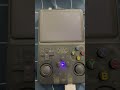 #R36S #dArkOSRE debian linux opening terminal from emulationstation - BT keyboard WiFi - rtl-sdr V4
 wlr-rander
 R36S Console RTL-SDR on Debian based system with Dutch P2000
 Mlogic SKhynix NXP
 NVIDIA JETSON NANO P3448
 RTL-SDR Radio FM on R36S desktop-gui #nederland #radio #handheld #gameconsole #R36S #rtl-sdr
 RTL8723BU ESP32-C3 Pi Zero #concept
 PocketTerm35 Pi5 Portable Handheld Linux Terminal With 3.5inch Touch Display, 640 × 480 Resolution
 SDR++ TERMINAL EDITION (ArkOS) v1.1
 LXDE error Xorg on the R36S, any ideas how to fix desktop?
 ESP32 RTC GPS NL
 #R36S #RTL-SDR #Debian #aarch64 #radio #nanodeck - after long hours of trying. Next step = waterfall
 #Handheld #Linux #Console Rockchip3326 1GB 640x480
 Arch-R Linux on handheld console. #gameconsole #portable R36S
 xfce4-goodies
 Chronos ESP32 RTC clock
