- Популярные видео
- Авто
- Видео-блоги
- ДТП, аварии
- Для маленьких
- Еда, напитки
- Животные
- Закон и право
- Знаменитости
- Игры
- Искусство
- Комедии
- Красота, мода
- Кулинария, рецепты
- Люди
- Мото
- Музыка
- Мультфильмы
- Наука, технологии
- Новости
- Образование
- Политика
- Праздники
- Приколы
- Природа
- Происшествия
- Путешествия
- Развлечения
- Ржач
- Семья
- Сериалы
- Спорт
- Стиль жизни
- ТВ передачи
- Танцы
- Технологии
- Товары
- Ужасы
- Фильмы
- Шоу-бизнес
- Юмор
ROS2 & TurtleBot: Automated Mapping and Map Saving with a Custom GUI
Github Link : https://github.com/Y6HYUK/TurtleBot-Hide-Seek-Autonomous-Mapping-and-Tracking-Simulation
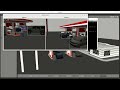
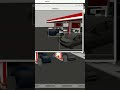
This project shows how to autonomously map a simulated environment in ROS2 using TurtleBot, Gazebo, and a custom GUI. After mapping, the final occupancy grid (in map.yaml and map.pgm) can be saved for later use, such as multi-robot deployment or navigation tasks.
1) Launch the Simulation: A ROS2 launch file starts Gazebo, RViz, and TurtleBot in a virtual world.
2) Start Mapping: TurtleBot autonomously explores and builds a map in real time.
3) Complete Mapping: Ends exploration once the map is sufficiently covered.
4) Save Map: Automatically calls ROS2 utilities to generate and store the final map files.
- Future Expansion: With the saved map, additional robots can be spawned, localize themselves in the environment, and move autonomously. Further use cases include multi-robot coordination, object detection, and other advanced scenarios.
- This streamlined workflow—simulation, GUI-driven exploration, and map saving—offers a user-friendly approach for ROS2 beginners and advanced users alike to develop on top of a robust mapping and navigation foundation.
Видео ROS2 & TurtleBot: Automated Mapping and Map Saving with a Custom GUI канала Junhyuk Yang
This project shows how to autonomously map a simulated environment in ROS2 using TurtleBot, Gazebo, and a custom GUI. After mapping, the final occupancy grid (in map.yaml and map.pgm) can be saved for later use, such as multi-robot deployment or navigation tasks.
1) Launch the Simulation: A ROS2 launch file starts Gazebo, RViz, and TurtleBot in a virtual world.
2) Start Mapping: TurtleBot autonomously explores and builds a map in real time.
3) Complete Mapping: Ends exploration once the map is sufficiently covered.
4) Save Map: Automatically calls ROS2 utilities to generate and store the final map files.
- Future Expansion: With the saved map, additional robots can be spawned, localize themselves in the environment, and move autonomously. Further use cases include multi-robot coordination, object detection, and other advanced scenarios.
- This streamlined workflow—simulation, GUI-driven exploration, and map saving—offers a user-friendly approach for ROS2 beginners and advanced users alike to develop on top of a robust mapping and navigation foundation.
Видео ROS2 & TurtleBot: Automated Mapping and Map Saving with a Custom GUI канала Junhyuk Yang
Комментарии отсутствуют
Информация о видео
9 февраля 2025 г. 17:15:30
00:03:01
Другие видео канала