
- Популярные видео
- Авто
- Видео-блоги
- ДТП, аварии
- Для маленьких
- Еда, напитки
- Животные
- Закон и право
- Знаменитости
- Игры
- Искусство
- Комедии
- Красота, мода
- Кулинария, рецепты
- Люди
- Мото
- Музыка
- Мультфильмы
- Наука, технологии
- Новости
- Образование
- Политика
- Праздники
- Приколы
- Природа
- Происшествия
- Путешествия
- Развлечения
- Ржач
- Семья
- Сериалы
- Спорт
- Стиль жизни
- ТВ передачи
- Танцы
- Технологии
- Товары
- Ужасы
- Фильмы
- Шоу-бизнес
- Юмор
Sonos Era 100 Shelf Wall Mount Installation
Install your Sonos Era 100 shelf wall mount directly over a power outlet for a clean, space-saving setup. This guide includes safety reminders, cable management, and secure socket mounting.
What’s in the box:
1 × Shelf base
1 × Socket mount frame
1 × Cable spool
1 × Shelf platform
2 × Socket plates
2 × Socket screws
1 × Speaker fixing screw
Safety reminder:
⚠️ Turn OFF the circuit breaker of the power socket before installation to prevent electric shock.
Installation steps:
1️⃣ Turn OFF the circuit breaker for the power outlet.
2️⃣ Remove the existing socket plate from the power outlet.
3️⃣ Insert the power cable through the shelf base.
4️⃣ Thread the power cable through the shelf platform.
5️⃣ Connect the speaker to the power cable.
6️⃣ Attach the cable spool underneath the shelf platform.
7️⃣ Lock the cable spool and speaker in place using the speaker fixing screw.
8️⃣ Neatly coil the excess cable onto the cable spool.
9️⃣ Attach the assembled shelf to the socket mount frame.
🔟 Install the full assembly onto the power outlet using the socket plate and socket screws.
Designed for a clean, outlet-mounted shelf solution with hidden cable management.
#shorts
Видео Sonos Era 100 Shelf Wall Mount Installation канала Soundbass
What’s in the box:
1 × Shelf base
1 × Socket mount frame
1 × Cable spool
1 × Shelf platform
2 × Socket plates
2 × Socket screws
1 × Speaker fixing screw
Safety reminder:
⚠️ Turn OFF the circuit breaker of the power socket before installation to prevent electric shock.
Installation steps:
1️⃣ Turn OFF the circuit breaker for the power outlet.
2️⃣ Remove the existing socket plate from the power outlet.
3️⃣ Insert the power cable through the shelf base.
4️⃣ Thread the power cable through the shelf platform.
5️⃣ Connect the speaker to the power cable.
6️⃣ Attach the cable spool underneath the shelf platform.
7️⃣ Lock the cable spool and speaker in place using the speaker fixing screw.
8️⃣ Neatly coil the excess cable onto the cable spool.
9️⃣ Attach the assembled shelf to the socket mount frame.
🔟 Install the full assembly onto the power outlet using the socket plate and socket screws.
Designed for a clean, outlet-mounted shelf solution with hidden cable management.
#shorts
Видео Sonos Era 100 Shelf Wall Mount Installation канала Soundbass
Комментарии отсутствуют
Информация о видео
6 марта 2026 г. 11:00:02
00:00:58
Другие видео канала
 Sonos Era 300 Wall Mount | Upside-Down Installation
 Sonos Era 300 Wall Mount | Upright Installation
 Soundbass PLAY:1 Eğme ve Döndürme Duvar Montaj Braketinin Duvara ve Hoparlör Kurulumuna Sabitlenmesi
 How To Fix Your Soundbass TV Mount To Your TV And Attachment Of The Sonos Beam Soundbar
 Get Your Sonos Era 100 Speaker Mounted With This Easy Steps Guide!
 Fixez le support mural Soundbass Sonos Ray au mur et attachez la barre de son.
 Fix Your Soundbass Sonos Ray Soundbar Wall Mount Bracket To The wall & Attachment Of The Soundbar
 Bevestig je Soundbass ERA100 Kantel-en Draaibare Muurbeugel aan de muur en installeer de luidspreker
 Come montare la staffa da parete per soundbar Soundbass Bose TV e fissare la soundbar
 Install Your Sonos One Floor Stands in Minutes
 Comment fixer le support mural d’angle Soundbass ERA300 et installer votre enceinte
 Cómo fijar el soporte de pared Soundbass ERA300 a la pared e instalar el altavoz
 Adjustable Wall Mount for Bose Soundbar | Installation Guide
 Befestigen Sie Ihren Sonos Era 100 Lautsprecher in einer Ecke mit diesem einfachen Leitfaden!
 Fixez votre support mural Soundbass Sonos Arc Soundbar au mur et attachez la barre de son.
 Cómo fijar tu soporte para TV Soundbass a tu televisor y acoplar la barra de sonido Sonos Beam
 Sonos ONE Neigungs- und Schwenk-Wandhalterung: Befestigung und Installation
 Soundbass ERA300 Eğimli ve Döner Duvar Askı Aparatı Nasıl Monte Edilir? (Hoparlör Kurulumu)
 Soundbass PLAY:3 Neige- & Schwenkbare Wandhalterung und Lautsprecher Installieren
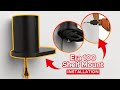 How to Install Your Soundbass Shelf Mount For The Sonos ERA100
 Monta tu barra de sonido Bose de manera fácil e invisible con el soporte TV universal Soundbass.
