
- Популярные видео
- Авто
- Видео-блоги
- ДТП, аварии
- Для маленьких
- Еда, напитки
- Животные
- Закон и право
- Знаменитости
- Игры
- Искусство
- Комедии
- Красота, мода
- Кулинария, рецепты
- Люди
- Мото
- Музыка
- Мультфильмы
- Наука, технологии
- Новости
- Образование
- Политика
- Праздники
- Приколы
- Природа
- Происшествия
- Путешествия
- Развлечения
- Ржач
- Семья
- Сериалы
- Спорт
- Стиль жизни
- ТВ передачи
- Танцы
- Технологии
- Товары
- Ужасы
- Фильмы
- Шоу-бизнес
- Юмор
Environment Setup
A high-precision laboratory is the difference between a hobbyist and an engineer. If your tools are disorganized, your progress will be limited.
In Day 2 of our 100-Day DSA Masterclass, we aren't just "installing apps"—we are building a professional engineering environment. We’re setting up the core components you need to see exactly how your code thinks, from the Node.js engine to a secret weapon that gives you instant feedback on your logic.
This is Video 2 of my series: "Master DSA in JavaScript | Beginner to Advanced (100 Days Challenge)."
🚀 IN THIS VIDEO:
The Engine (Node.js): Why we choose the LTS version for stability and how to verify your installation via the terminal.
The Editor (VS Code): Setting up the industry-standard editor with essential extensions like ESLint, Prettier, and Bracket Pair Colorizer for maximum clarity.
The Secret Weapon (Quokka.js): Moving beyond the slow "write-save-run" loop to a live scratchpad that shows your code’s output in real-time.
Mastering the Debugger: A deep dive into breakpoints, the variables pane, and the call stack. Stop relying on console.log() and start seeing into the memory of your program.
Your Practical Task:
Initialize a new folder and open it using the code . shortcut.
Create your first test.js file.
Set a breakpoint and use the debugger to watch a variable initialize in memory.
Connect with me:
💼 LinkedIn: https://www.linkedin.com/in/amlan-pati/
🌐 Website: https://amlanpati.co.in
🐦 X (Twitter): https://x.com/TheAmlanPati
📸 Instagram: https://www.instagram.com/theAmlanPati/
🕒 CHAPTERS:
0:00 - Setup like a Pro
0:08 - Channel Intro
0:44 - Installing the Node.js Engine
2:03 - Configuring the VS Code Editor
2:38 - Getting the Extensions
3:28 - Quokka.js: Your Secret Weapon
04:24 - Things to Remember
04:37 - Pro Debugging vs. Amateurs
06:31 - Your First Practical Task & Outro
🔊 SOUND EFFECTS:
Rake Swing Whoosh Close (YouTube Audio Library)
#theAmlanPati #WebDev #Javascript #DSA #100DaysOfCode #NodeJS #VSCode #ProgrammingSetup #SoftwareEngineering #CodingTutorial
Видео Environment Setup канала Amlan Pati
In Day 2 of our 100-Day DSA Masterclass, we aren't just "installing apps"—we are building a professional engineering environment. We’re setting up the core components you need to see exactly how your code thinks, from the Node.js engine to a secret weapon that gives you instant feedback on your logic.
This is Video 2 of my series: "Master DSA in JavaScript | Beginner to Advanced (100 Days Challenge)."
🚀 IN THIS VIDEO:
The Engine (Node.js): Why we choose the LTS version for stability and how to verify your installation via the terminal.
The Editor (VS Code): Setting up the industry-standard editor with essential extensions like ESLint, Prettier, and Bracket Pair Colorizer for maximum clarity.
The Secret Weapon (Quokka.js): Moving beyond the slow "write-save-run" loop to a live scratchpad that shows your code’s output in real-time.
Mastering the Debugger: A deep dive into breakpoints, the variables pane, and the call stack. Stop relying on console.log() and start seeing into the memory of your program.
Your Practical Task:
Initialize a new folder and open it using the code . shortcut.
Create your first test.js file.
Set a breakpoint and use the debugger to watch a variable initialize in memory.
Connect with me:
💼 LinkedIn: https://www.linkedin.com/in/amlan-pati/
🌐 Website: https://amlanpati.co.in
🐦 X (Twitter): https://x.com/TheAmlanPati
📸 Instagram: https://www.instagram.com/theAmlanPati/
🕒 CHAPTERS:
0:00 - Setup like a Pro
0:08 - Channel Intro
0:44 - Installing the Node.js Engine
2:03 - Configuring the VS Code Editor
2:38 - Getting the Extensions
3:28 - Quokka.js: Your Secret Weapon
04:24 - Things to Remember
04:37 - Pro Debugging vs. Amateurs
06:31 - Your First Practical Task & Outro
🔊 SOUND EFFECTS:
Rake Swing Whoosh Close (YouTube Audio Library)
#theAmlanPati #WebDev #Javascript #DSA #100DaysOfCode #NodeJS #VSCode #ProgrammingSetup #SoftwareEngineering #CodingTutorial
Видео Environment Setup канала Amlan Pati
Комментарии отсутствуют
Информация о видео
27 апреля 2026 г. 16:02:19
00:08:19
Другие видео канала
 Advanced Particle Engine (The Gravity Flip)
 AI Influencers Just Unlocked Monetization (The Next Big Wave)
 How Games "See": 2D Raycasting and Shadow Logic
 Advanced HSL Effect
 The Browser-Based VFX Studio 🎬
 I Replicated My Reality with Higgsfield AI
 Inside the V8 Engine: Ignition & TurboFan
 The Physics of Jiggle: Mastering Springs and Soft Bodies
 Why JS for DSA?
 How Code Remembers its Shape 🏹
 The "Guiding Wind" mechanic
 The AI Influencer Era is Here 🤳🏻
 Turn Your Computer into a JS Powerhouse 🚀
 Understanding Vectors
 Don't Leak Your API Keys! Git 101 for AI Developers
 Why Web Devs Should Do DSA in JavaScript 💡
 Coding the Wind - Vector Fields & Generative Art
 The secret to "Grounded" digital motion. ✨
 The Secret to Pro 2D Shadows 👁️
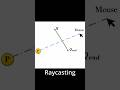 Raycasting Logic 📐
