
- Популярные видео
- Авто
- Видео-блоги
- ДТП, аварии
- Для маленьких
- Еда, напитки
- Животные
- Закон и право
- Знаменитости
- Игры
- Искусство
- Комедии
- Красота, мода
- Кулинария, рецепты
- Люди
- Мото
- Музыка
- Мультфильмы
- Наука, технологии
- Новости
- Образование
- Политика
- Праздники
- Приколы
- Природа
- Происшествия
- Путешествия
- Развлечения
- Ржач
- Семья
- Сериалы
- Спорт
- Стиль жизни
- ТВ передачи
- Танцы
- Технологии
- Товары
- Ужасы
- Фильмы
- Шоу-бизнес
- Юмор
KQL Pro-Tips: Optimizing Your Azure Query Time Ranges
In this tutorial, we explain how these settings determine exactly which data your Log Analytics queries evaluate.
First, we cover the essential permissions you need before querying, specifically the Log Analytics Reader role for `Microsoft.OperationalInsights/workspaces/query//read` access. We then dive into Query Scope, showing you how to locate it at the top left of your Log Analytics window and how the method you use to open the portal dictates your initial scope.
Learn about the hidden limitations of scoping to a specific Azure resource—including why you might lose access to portal features like Save, Query explorer, and creating New alert rules, and why you cannot use cross-resource `app` or `workspace` commands in your queries.
Are your queries running slow or getting entirely blocked? We explain the performance impacts of retrieving data across multiple Azure regions, detailing the 5-region performance warning and the strict 20-region query block.
Finally, we share KQL Time Range best practices. Discover how to filter using the `TimeGenerated` or `timestamp` columns, why placing time filters at the very top of your query disables the portal's time picker and changes it to "Set in query" for maximum processing efficiency, and how to avoid accidental simultaneous filters that can restrict your results when using the `app` or `workspace` commands.
Видео KQL Pro-Tips: Optimizing Your Azure Query Time Ranges канала Kavach Protocol
First, we cover the essential permissions you need before querying, specifically the Log Analytics Reader role for `Microsoft.OperationalInsights/workspaces/query//read` access. We then dive into Query Scope, showing you how to locate it at the top left of your Log Analytics window and how the method you use to open the portal dictates your initial scope.
Learn about the hidden limitations of scoping to a specific Azure resource—including why you might lose access to portal features like Save, Query explorer, and creating New alert rules, and why you cannot use cross-resource `app` or `workspace` commands in your queries.
Are your queries running slow or getting entirely blocked? We explain the performance impacts of retrieving data across multiple Azure regions, detailing the 5-region performance warning and the strict 20-region query block.
Finally, we share KQL Time Range best practices. Discover how to filter using the `TimeGenerated` or `timestamp` columns, why placing time filters at the very top of your query disables the portal's time picker and changes it to "Set in query" for maximum processing efficiency, and how to avoid accidental simultaneous filters that can restrict your results when using the `app` or `workspace` commands.
Видео KQL Pro-Tips: Optimizing Your Azure Query Time Ranges канала Kavach Protocol
Комментарии отсутствуют
Информация о видео
23 мая 2026 г. 14:30:32
00:06:56
Другие видео канала
 Bug bounty for beginners — the roadmap to earning ₹1 lakh/month from ethical hacking
 Mastering Azure RBAC: The Ultimate Guide to Custom Roles
 What is Azure CNI? Architecture, Limits, and Deployment Deep Dive
 Secure Your Azure Resources for FREE! A Guide to Azure Managed Identities
 AI is changing cybersecurity forever — the 3 skills that keep you employed for the next 10 years
 Azure Network Watcher in 7 Minutes: Everything You Need to Know
 Mastering AKS Security: Entra ID & Kubelogin Explained!
 How to Map a Custom Domain in Azure App Service (Step-by-Step)
 Azure Key Vault Tutorial: Managing Secrets, Keys, and Certificates
 I traced a ₹2 crore crypto scam on the blockchain — here's what I found
 7 Things to DELETE from Your Gmail RIGHT NOW Before a Hacker Exploits Them
 The ONE Azure Firewall Alert You Must Set Up Right Now
 Connect On-Prem AD to the Cloud: Entra Connect Step-by-Step
 STOP Using the OAuth 2.0 Implicit Grant Flow! (Do This Instead)
 The public WiFi attack that steals your passwords — what it looks like and how to stay safe
 How hackers steal your phone number without touching your phone — SIM swapping explained !
 Never store your crypto seed phrase in a password manager — here's why (and what to do instead)
 The Honest Cybersecurity Roadmap Nobody Shows You — Zero To Job-Ready In 6 Months
 Is Your Crypto Wallet Safe? 6 phishing RED flags every holder must know
 Inside ChatGPT's Brain: 175 Billion Parameters Explained !!!
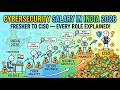 Cybersecurity salary in India 2026 — fresher to CISO, every role explained
