- Популярные видео
- Авто
- Видео-блоги
- ДТП, аварии
- Для маленьких
- Еда, напитки
- Животные
- Закон и право
- Знаменитости
- Игры
- Искусство
- Комедии
- Красота, мода
- Кулинария, рецепты
- Люди
- Мото
- Музыка
- Мультфильмы
- Наука, технологии
- Новости
- Образование
- Политика
- Праздники
- Приколы
- Природа
- Происшествия
- Путешествия
- Развлечения
- Ржач
- Семья
- Сериалы
- Спорт
- Стиль жизни
- ТВ передачи
- Танцы
- Технологии
- Товары
- Ужасы
- Фильмы
- Шоу-бизнес
- Юмор
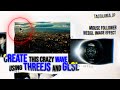
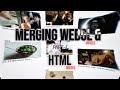
Interactive 3D Mouse Effect with Three.js | Raycaster, Shaders & Distortion!
In this tutorial, we explore the powerful combination of *WebGL* and *HTML* to create a dynamic, interactive mouse-follow effect using Three.js. We'll use *Ray caster* for precise mouse interactions, custom *FBM noise shaders* for an organic effect, and a *normal map* to add stunning distortion to the mouse-follow area. Ideal for developers looking to enhance their web animations with advanced 3D techniques!
✨ Remember to LIKE, SHARE, and SUBSCRIBE for more advanced tutorials! ✨
📂 *Project Files & Resources*
Clone Boilerplate: https://github.com/Ameen-Abdullah/1--GLSL-hover-fbm
FBM Noise Shader GitHub: https://github.com/yiwenl/glsl-fbm/blob/master/2d.glsl
GLSL Noise Algorithms GitHub: https://gist.github.com/patriciogonzalezvivo/670c22f3966e662d2f83
🌐 *Connect with Me*
Portfolio: https://ameen-abdullah.pages.dev/
LinkedIn: https://www.linkedin.com/in/ameen-abdullah
⏰ *Timestamps*
0:00 - Introduction
0:28 - What we are gonna make today
0:48 - Boilerplate Setup
1:06 - Merging WebGL and HTML
4:31 - Uniforms Setup
5:29 - Bgs-size Cover in GLSL
6:53 - Using Ray caster
7:16 - Fragment Shader
20:22 - Normal Maps
26:50 - Ending
Have questions or feedback? Drop a comment below, and I'll be happy to help!
*Tags:*
#Threejs #WebGL #JavaScript #FBMNoise #Raycaster #NormalMap #CustomShaders #3DGraphics #CreativeCoding #ShaderProgramming #InteractiveEffects #HTML #CSS #InteractiveWeb #JavaScriptTutorial #ThreejsShaders #MouseEffect #WebDevelopment #FrontendDevelopment #WebAnimations
Видео Interactive 3D Mouse Effect with Three.js | Raycaster, Shaders & Distortion! канала 𝙶𝚟𝚇𝚌𝚒
✨ Remember to LIKE, SHARE, and SUBSCRIBE for more advanced tutorials! ✨
📂 *Project Files & Resources*
Clone Boilerplate: https://github.com/Ameen-Abdullah/1--GLSL-hover-fbm
FBM Noise Shader GitHub: https://github.com/yiwenl/glsl-fbm/blob/master/2d.glsl
GLSL Noise Algorithms GitHub: https://gist.github.com/patriciogonzalezvivo/670c22f3966e662d2f83
🌐 *Connect with Me*
Portfolio: https://ameen-abdullah.pages.dev/
LinkedIn: https://www.linkedin.com/in/ameen-abdullah
⏰ *Timestamps*
0:00 - Introduction
0:28 - What we are gonna make today
0:48 - Boilerplate Setup
1:06 - Merging WebGL and HTML
4:31 - Uniforms Setup
5:29 - Bgs-size Cover in GLSL
6:53 - Using Ray caster
7:16 - Fragment Shader
20:22 - Normal Maps
26:50 - Ending
Have questions or feedback? Drop a comment below, and I'll be happy to help!
*Tags:*
#Threejs #WebGL #JavaScript #FBMNoise #Raycaster #NormalMap #CustomShaders #3DGraphics #CreativeCoding #ShaderProgramming #InteractiveEffects #HTML #CSS #InteractiveWeb #JavaScriptTutorial #ThreejsShaders #MouseEffect #WebDevelopment #FrontendDevelopment #WebAnimations
Видео Interactive 3D Mouse Effect with Three.js | Raycaster, Shaders & Distortion! канала 𝙶𝚟𝚇𝚌𝚒
Комментарии отсутствуют
Информация о видео
14 ноября 2024 г. 11:25:12
00:27:14
Другие видео канала