
- Популярные видео
- Авто
- Видео-блоги
- ДТП, аварии
- Для маленьких
- Еда, напитки
- Животные
- Закон и право
- Знаменитости
- Игры
- Искусство
- Комедии
- Красота, мода
- Кулинария, рецепты
- Люди
- Мото
- Музыка
- Мультфильмы
- Наука, технологии
- Новости
- Образование
- Политика
- Праздники
- Приколы
- Природа
- Происшествия
- Путешествия
- Развлечения
- Ржач
- Семья
- Сериалы
- Спорт
- Стиль жизни
- ТВ передачи
- Танцы
- Технологии
- Товары
- Ужасы
- Фильмы
- Шоу-бизнес
- Юмор
Class 9th | Computer | Interaction among components while opening a file in the computer
⭐ When you open a file using your mouse or keyboard, several components of your computer interact seamlessly to make this action happen. Step-by-step explanation of the process is given below:
⭐ User Action or Input: You double-click on a file icon using your mouse or press a key combination to open a file.
For example, you double-click on a document named "report.docx" on your desktop.
⭐Input Device: The mouse or keyboard sends a signal to the computer indicating that you want to open the file.
For example, the mouse sends sensory input to the computer's operating system through the USB connection.
⭐Role of CPU: The central processing unit (CPU) interprets, processes, and executes instructions to transform data input into usable information output.
Memory Allocation:
Operating system allocates the memory for required operation.
Role of RAM: RAM is used to store data from open applications, files, and documents.
Output Device: The CPU sends the signal to output device (monitor). Now the file can be seen on the monitor screen.
Видео Class 9th | Computer | Interaction among components while opening a file in the computer канала QAMAR ALI
⭐ User Action or Input: You double-click on a file icon using your mouse or press a key combination to open a file.
For example, you double-click on a document named "report.docx" on your desktop.
⭐Input Device: The mouse or keyboard sends a signal to the computer indicating that you want to open the file.
For example, the mouse sends sensory input to the computer's operating system through the USB connection.
⭐Role of CPU: The central processing unit (CPU) interprets, processes, and executes instructions to transform data input into usable information output.
Memory Allocation:
Operating system allocates the memory for required operation.
Role of RAM: RAM is used to store data from open applications, files, and documents.
Output Device: The CPU sends the signal to output device (monitor). Now the file can be seen on the monitor screen.
Видео Class 9th | Computer | Interaction among components while opening a file in the computer канала QAMAR ALI
Комментарии отсутствуют
Информация о видео
12 марта 2026 г. 15:06:39
00:05:01
Другие видео канала
 Patt Cummins | Josh Hazlewood | Mitchell Starc | Australian Trio | #cummins # Starc #Australia
 Computer Interaction with its Environment. #Computer #class9th #class8th #Computer-interaction
 Doremon Nobita Shizuoka😁
 Desi Village Girl
 best video on Internet😁
 March 31, 2026
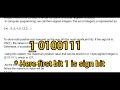 Signed Integers and Signed Bit
 Comparison between ASCII & UNICODE | Class 9th Computer | Chapter 2 | Short Questions
 Babar Azam Match winning knock in BPL #bpl #bangladesh #pakistan #babarazam
 May 21, 2026
 Malika Nishant Viral Clip😁
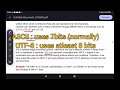 Unicode and UTF-8
 UTF -16 and UTF-32
 Horny Friends be Like😂
 Unicode, Range and Negative integer.
 March 31, 2026
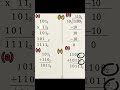
 Two complement method and Minimum integer value
 Champhion Trophy Pakistan 2025 | Concept Promo #CT2025 #pakistan #india #pakvsind #icc #cricket
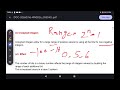 Unsigned Integers
 Hydrolic Lift, Class 8th, Topic 8.5 Chapter 8
