
- Популярные видео
- Авто
- Видео-блоги
- ДТП, аварии
- Для маленьких
- Еда, напитки
- Животные
- Закон и право
- Знаменитости
- Игры
- Искусство
- Комедии
- Красота, мода
- Кулинария, рецепты
- Люди
- Мото
- Музыка
- Мультфильмы
- Наука, технологии
- Новости
- Образование
- Политика
- Праздники
- Приколы
- Природа
- Происшествия
- Путешествия
- Развлечения
- Ржач
- Семья
- Сериалы
- Спорт
- Стиль жизни
- ТВ передачи
- Танцы
- Технологии
- Товары
- Ужасы
- Фильмы
- Шоу-бизнес
- Юмор
Custom Shape Waffle Chart with Dynamic Legends and Metrics in Tableau
Learn how to create a basic waffle chart with custom shapes in Tableau and pair it with a legend that matches those shapes. The legend reinforces the meaning behind the waffle chart by displaying category values and related metrics.
To build the legend, I use two SUM(0) fields in the Columns shelf to create two marks.
1. First Mark: Change the mark type to Shape and select the same custom shape used in the waffle chart (e.g., rounded containers, stars, or icons).
2. Second Mark: Change the mark type to Text, then add the status category value (e.g., Complete, Pending, Cancelled) along with relevant metrics like the total number of orders and the percentage of orders represented in the waffle chart.
This method creates a clear, intuitive legend that helps users easily understand the waffle chart. The custom shapes in the legend visually match the chart, while the additional metrics provide context and detail, improving the overall clarity and effectiveness of your dashboard.
Tableau: https://public.tableau.com/app/profile/samantha.cohn/viz/BeyondBasicChartsModernOrdersTab/Orders
Tableau: https://public.tableau.com/app/profile/samantha.cohn/viz/BeyondBasicChartsModernOrdersTab/Orders
Excel: https://docs.google.com/spreadsheets/d/1LD5zIeEx9Lvv-37tSYeUAub-9ahESLiHSMW4u2QwbtQ/edit?usp=sharing
Formulas: https://docs.google.com/document/d/1bXlz1Z05J_rhS1LVXvaAe4l4yODTlkmy6oK4ln394yI/edit?usp=sharing
Rounded Corner Box: https://drive.google.com/file/d/14gm7FmNqanJmiGFKAy4r7ly-WKhV6uxL/view?usp=sharing
Видео Custom Shape Waffle Chart with Dynamic Legends and Metrics in Tableau канала Golden Insights
To build the legend, I use two SUM(0) fields in the Columns shelf to create two marks.
1. First Mark: Change the mark type to Shape and select the same custom shape used in the waffle chart (e.g., rounded containers, stars, or icons).
2. Second Mark: Change the mark type to Text, then add the status category value (e.g., Complete, Pending, Cancelled) along with relevant metrics like the total number of orders and the percentage of orders represented in the waffle chart.
This method creates a clear, intuitive legend that helps users easily understand the waffle chart. The custom shapes in the legend visually match the chart, while the additional metrics provide context and detail, improving the overall clarity and effectiveness of your dashboard.
Tableau: https://public.tableau.com/app/profile/samantha.cohn/viz/BeyondBasicChartsModernOrdersTab/Orders
Tableau: https://public.tableau.com/app/profile/samantha.cohn/viz/BeyondBasicChartsModernOrdersTab/Orders
Excel: https://docs.google.com/spreadsheets/d/1LD5zIeEx9Lvv-37tSYeUAub-9ahESLiHSMW4u2QwbtQ/edit?usp=sharing
Formulas: https://docs.google.com/document/d/1bXlz1Z05J_rhS1LVXvaAe4l4yODTlkmy6oK4ln394yI/edit?usp=sharing
Rounded Corner Box: https://drive.google.com/file/d/14gm7FmNqanJmiGFKAy4r7ly-WKhV6uxL/view?usp=sharing
Видео Custom Shape Waffle Chart with Dynamic Legends and Metrics in Tableau канала Golden Insights
Комментарии отсутствуют
Информация о видео
14 февраля 2025 г. 19:55:00
00:10:09
Другие видео канала
 How to Create Drop Down Filters in Tableau for Cleaner Dashboards
 Tableau Level of Detail (LOD) Calculations: FIXED, INCLUDE, and EXCLUDE Made Easy
 Embed Visual in Tableau Tooltip: Use One Chart as a Visual in Another Chart
 Fix Your Tableau Measure Name Headers: Edit Aliases for Clearer Dashboard Labels
 Somebody call the Olympics cause this dog is placing gold 🏆
 Unlimited Color Choices: Custom Color Palette in Tableau in 1 Minute
 Piece of Pie: Interactive Pie Chart Legends in Tableau with Filter Actions
 Beyond Basic Charts: Tableau Dashboard Tutorial on Sales & Orders Insights (Superstore Data)
 How to Add Bordered Bar Charts (Rounded) with Gradient Magic in Tableau! ✨
 How to Add Info Tooltips in Tableau - Custom Icons + Dynamic Text (Under 1 Minute)
 Endless Gradient Rings: Pie/Donut Chart Design Trick in Tableau
 How to Set Default Number Formatting in Tableau (Dynamic)
 Control Pie & Donut Chart Labels in Tableau - Position & Color
 How to Create a Heatmap Table with Conditional Formatting in Tableau
 Add Custom Color-Coded Status Buttons in Tableau: Transform Tables with Instant Visual Insights 🚦
 How to Create a Patterned Area Chart in Tableau
 Tableau Design Hack: Create Circle Legends with Custom Spacing and Size
 Interactive Filtering: Time Period Buttons for Overlapping Dates in Tableau
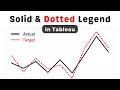 How to Create a Dotted Line and Matching Legend in Tableau (Solid vs. Dashed for Actual vs. Target)
 Stop Guessing! This Flowchart Tells You EXACTLY What Chart to Use
 Using Lines for Rounded Bars in Tableau? Here’s How to Make Them Thicker
