
- Популярные видео
- Авто
- Видео-блоги
- ДТП, аварии
- Для маленьких
- Еда, напитки
- Животные
- Закон и право
- Знаменитости
- Игры
- Искусство
- Комедии
- Красота, мода
- Кулинария, рецепты
- Люди
- Мото
- Музыка
- Мультфильмы
- Наука, технологии
- Новости
- Образование
- Политика
- Праздники
- Приколы
- Природа
- Происшествия
- Путешествия
- Развлечения
- Ржач
- Семья
- Сериалы
- Спорт
- Стиль жизни
- ТВ передачи
- Танцы
- Технологии
- Товары
- Ужасы
- Фильмы
- Шоу-бизнес
- Юмор
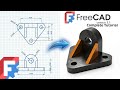
FreeCAD - Complete Beginner Tutorial Step by Step Exercise 24
3D Sketch : https://www.3dmechanism.com/post/3d-cad-exercise-24
Donate PayPal: https://www.paypal.com/donate/?hosted_button_id=2U2K7FGZNC7N8
Start your 3D modeling journey with FreeCAD! This tutorial is specially designed for beginners. You'll discover the essential features of the software and create your first project in no time.
1. PadThe Pad command is the starting point for most models.Action: It extrudes (pulls) a closed 2D sketch into a 3D solid.Typical Use: Creating the main body or "base material" of your part.
2. Datum Plane
The Datum Plane is a reference helper.Action: It creates a custom flat surface in 3D space.Why use it? Standard planes (XY, XZ, YZ) are fixed. A Datum Plane allows you to draw sketches on angled surfaces, offset distances, or tangent to cylinders where no flat face exists.
3. Mirror (Mirrored)
The Mirrored command creates symmetry.Action: It duplicates a selected feature (like a Pad or Pocket) or the entire solid body across a plane.Connection: You often use a Datum Plane to define exactly where the "mirror" (reflection line) should be.
4. Chamfer
The Chamfer command is a finishing tool for beveling edges.Action: Unlike a Fillet (which is round), a Chamfer cuts a flat angle (usually $45^{\circ}$) across a sharp edge.Typical Use: Preparing edges for welding, or making bolts easier to insert into holes (lead-in).
Видео FreeCAD - Complete Beginner Tutorial Step by Step Exercise 24 канала FreeCAD Hub
Donate PayPal: https://www.paypal.com/donate/?hosted_button_id=2U2K7FGZNC7N8
Start your 3D modeling journey with FreeCAD! This tutorial is specially designed for beginners. You'll discover the essential features of the software and create your first project in no time.
1. PadThe Pad command is the starting point for most models.Action: It extrudes (pulls) a closed 2D sketch into a 3D solid.Typical Use: Creating the main body or "base material" of your part.
2. Datum Plane
The Datum Plane is a reference helper.Action: It creates a custom flat surface in 3D space.Why use it? Standard planes (XY, XZ, YZ) are fixed. A Datum Plane allows you to draw sketches on angled surfaces, offset distances, or tangent to cylinders where no flat face exists.
3. Mirror (Mirrored)
The Mirrored command creates symmetry.Action: It duplicates a selected feature (like a Pad or Pocket) or the entire solid body across a plane.Connection: You often use a Datum Plane to define exactly where the "mirror" (reflection line) should be.
4. Chamfer
The Chamfer command is a finishing tool for beveling edges.Action: Unlike a Fillet (which is round), a Chamfer cuts a flat angle (usually $45^{\circ}$) across a sharp edge.Typical Use: Preparing edges for welding, or making bolts easier to insert into holes (lead-in).
Видео FreeCAD - Complete Beginner Tutorial Step by Step Exercise 24 канала FreeCAD Hub
basic course cad 3d cad 3d for 3d printer cad 3d for free cad 3d for students freecad freecad 0.21 freecad 3d printing freecad basics freecad cad 3d freecad for beginners freecad tutorial freecad tutorial for beginners freecad thread tutorial freecad hole tutorial freecad thread create threads in freecad how to model threads freecad bolt thread freecad bolt and nut freecadhub
Комментарии отсутствуют
Информация о видео
3 февраля 2026 г. 22:00:25
00:05:15
Другие видео канала
 FreeCAD - Complete Beginner Tutorial Step by Step Exercise 43
 FreeCAD - Complete Beginner Tutorial Step by Step Exercise 23
 FreeCAD 1.1 Tutorial For Complete Beginner - (#60)
 Lesson 1 - FreeCAD 1.0 - Ultimate Complete Beginner Tutorial Step by Step
 How to use Pad , Pocket , Fillet and Chamfer in FreeCAD 1.0 - Tutorial for begginers 9
 Learn FreeCAD: Pad, Fillet, Chamfer, Hole & Polar Pattern in One Tutorial
 FreeCAD Tutorial For Complete Beginner -Step by Step Exercise 52
 FreeCAD - Complete Beginner Tutorial Step by Step Exercise 25
 FreeCAD - Complete Beginner Tutorial Step by Step Exercise 15
 FreeCAD 1.1 Ice Pick Tutorial For Complete Beginner - (#59)
 FreeCAD 1.0 - Complete Beginner Tutorial Step by Step Exercise 14 Bolean Operation
 FreeCAD 1.1 Tutorial for Beginner - Boolean Operation
 FreeCAD - Complete Beginner Tutorial Step by Step Exercise 45
 FreeCAD - Complete Beginner Tutorial Step by Step Exercise 46
 FreeCAD - Complete Beginner Tutorial Step by Step Exercise 33
 FreeCAD 1.0 - Complete Beginner Tutorial Step by Step Exercise 12
 FreeCAD 1.1 Tutorial For Complete Beginner - (#58)
 FreeCAD - Complete Beginner Tutorial Step by Step Exercise 31
 FreeCAD: Handwheel Modeling Using Primitive Geometry (Cylinder & Torus)
 How to use Revolution in FreeCAD 1.0 - Tutorial for begginers 3
