
- Популярные видео
- Авто
- Видео-блоги
- ДТП, аварии
- Для маленьких
- Еда, напитки
- Животные
- Закон и право
- Знаменитости
- Игры
- Искусство
- Комедии
- Красота, мода
- Кулинария, рецепты
- Люди
- Мото
- Музыка
- Мультфильмы
- Наука, технологии
- Новости
- Образование
- Политика
- Праздники
- Приколы
- Природа
- Происшествия
- Путешествия
- Развлечения
- Ржач
- Семья
- Сериалы
- Спорт
- Стиль жизни
- ТВ передачи
- Танцы
- Технологии
- Товары
- Ужасы
- Фильмы
- Шоу-бизнес
- Юмор
CodeTwo Signatures Web Add-in for Outlook: Advanced settings
This video explains advanced settings that help you change how CodeTwo Signatures Web add-in interacts with local Outlook signatures, how to control add-in notifications, and more. For more information, check out the user's manual: https://www.codetwo.com/userguide/email-signatures-for-office-365/signatures-web-add-in-for-outlook-deployment.htm#advanced-options
CodeTwo Web Add-in introduction & overview: https://www.youtube.com/watch?v=qYFzS4_6S80
New to CodeTwo Email Signatures for Office 365?
Our cloud service lets you manage company-wide email signatures, legal disclaimers, automatic replies, email marketing & one-click surveys.
Sign up and try it for free: https://www.codetwo.com/email-signatures
0:00 Introduction
0:14 How to access advanced settings
0:34 Setting 1: Always disable end users’ default signatures in Outlook
1:32 Setting 2: Show/hide notifications
1:50 Setting 3: Show/hide notifications on mobiles
2:03 Setting 4: Change CodeTwo signatures based on the From field
2:28 Setting 5: Allow users to switch between Cloud & Outlook signatures
____________
Created by CodeTwo https://www.codetwo.com
Follow us on:
https://www.facebook.com/CodeTwo || https://x.com/CodeTwoSoftware || https://www.linkedin.com/company/codetwo || https://www.instagram.com/codetwo_software
Видео CodeTwo Signatures Web Add-in for Outlook: Advanced settings канала CodeTwo Software
CodeTwo Web Add-in introduction & overview: https://www.youtube.com/watch?v=qYFzS4_6S80
New to CodeTwo Email Signatures for Office 365?
Our cloud service lets you manage company-wide email signatures, legal disclaimers, automatic replies, email marketing & one-click surveys.
Sign up and try it for free: https://www.codetwo.com/email-signatures
0:00 Introduction
0:14 How to access advanced settings
0:34 Setting 1: Always disable end users’ default signatures in Outlook
1:32 Setting 2: Show/hide notifications
1:50 Setting 3: Show/hide notifications on mobiles
2:03 Setting 4: Change CodeTwo signatures based on the From field
2:28 Setting 5: Allow users to switch between Cloud & Outlook signatures
____________
Created by CodeTwo https://www.codetwo.com
Follow us on:
https://www.facebook.com/CodeTwo || https://x.com/CodeTwoSoftware || https://www.linkedin.com/company/codetwo || https://www.instagram.com/codetwo_software
Видео CodeTwo Signatures Web Add-in for Outlook: Advanced settings канала CodeTwo Software
Комментарии отсутствуют
Информация о видео
27 января 2025 г. 16:36:46
00:03:23
Другие видео канала
 CodeTwo signatures tutorial part 2: Design a signature & set up a signature rule
 CodeTwo Office 365 (Microsoft 365) and Exchange migration tools - quick overview
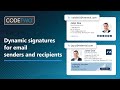 Dynamic signatures based on email sender and recipients | CodeTwo update
 Automatic email signatures on iOS & Android mobile devices
 CodeTwo tutorial: Create an email signature in 2 minutes using built-in templates
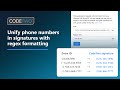 Unify phone numbers in email signatures using regular expressions
 CodeTwo tutorial: Create a professional email signature template from scratch
 Office 365, SharePoint Online and OneDrive for Business backup tool from CodeTwo - quick overview
 How to run an extended message trace in Exchange Online (Microsoft 365)
 Migrate to Microsoft 365 with a CSV file: a complete CodeTwo guide
 The Story of CodeTwo
 Migrate from Exchange to Microsoft 365 & Office 365 with CodeTwo: a complete migration guide
 CodeTwo - the best cloud company at 2021 Stratus Awards for Cloud Computing
 Set up company-wide email signatures in Microsoft 365 (new 2022 Exchange Online guide)
 Why use email signature management software? Top 10 reasons
 How to recreate Outlook Profiles
 Manage & edit user information (Entra ID attributes) in email signatures
 Set up an organization-wide email signature in Microsoft 365 (Exchange Online)
 Set up company-wide email signatures in Microsoft 365 with CodeTwo
 Is Microsoft Copilot an ultimate solution for your business? CodeTwo CEO talks with MVP Tony Redmond
